




Key Features
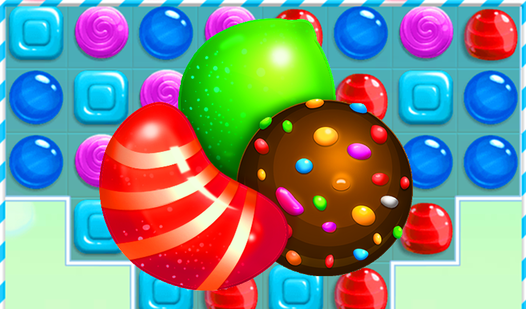
- Explosive Boosters: Striped pieces take out entire lines in one go. They clear space when the board gets crowded.
- Star Ranking: The three-star system forces you to think about efficiency. You lose points on every wasted turn.
- Grid Geometry: The shapes change as you progress. Some layouts block your moves with solid chocolate walls.
- Sugar Rush: Clearing large groups triggers a temporary score multiplier. It forces you to hunt for big combos.
How to Play
Candy Fever: Understanding the basics
To start, drag your mouse or tap the screen to swap adjacent treats. You need to line up three or more of the same color to clear them. Learning how to play Candy Fever takes seconds, but setting up big cascades requires real focus. Don't waste early moves on low-value matches.
Mastering Candy Fever controls
Candy Fever controls are simple enough, but the hitboxes for dragging can feel a bit sticky on smaller touchscreens. Aim for four-in-a-row to spawn special boosters that clear entire rows. A common mistake is ignoring the bottom of the grid, which often holds the key to unlocking those final three stars.
Who Should Play Candy Fever?
Frequently Asked Questions about Candy Fever
Can I play Candy Fever on my phone?
Yes, it works fine on mobile browsers without a download. Just open the page and start swiping, though the interface is much easier to manage on a desktop screen.
How do you create boosters in Candy Fever?
You need to match four or more pieces of the same type. These special items clear rows or surrounding tiles, which helps you hit the score requirements for each level.
Is Candy Fever free to play?
Yes, Candy Fever is completely free to play on Nub Games. There are no in-app purchases. No download or registration required.
Can I play Candy Fever on mobile?
Candy Fever works on both desktop and mobile devices. Best played in portrait mode.
What age rating is Candy Fever?
The catalog age rating for Candy Fever is 0+.