







Key Features
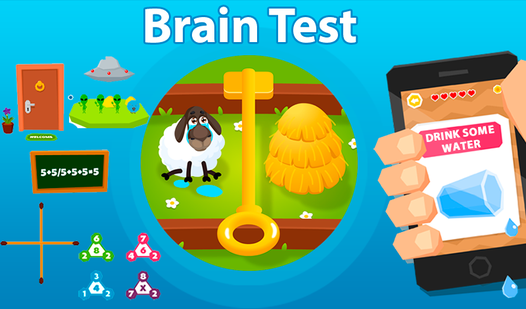
- Unpredictable logic: Answers hide in plain sight. You will often need to drag the question text itself to clear the level.
- Creative friction: The game actively fights your standard school-taught logic. Expect to feel frustrated when the obvious path leads to a fail.
- Visual traps: Objects shift and change as you interact. Everything is a potential button.
- Constant surprises: Levels evolve rapidly. You never know if you need to tilt your tablet or tap a specific color.
How to Play
Mastering Brain Test controls
Your mouse or finger is your only tool here. Most Brain Test controls involve dragging items or tapping objects on the screen to see how they react. Don't assume the screen is static. You need to shake, rotate, or pull parts of the UI to reveal hidden buttons or triggers.
How to play Brain Test without losing your mind
Stop taking the questions literally. If a level asks you to solve a math problem, look for a secret trick instead of doing the actual addition. A common mistake is overthinking the math when the answer is actually hidden in the background art. Keep searching for those tiny, clickable details.
Who Should Play Brain Test?
Frequently Asked Questions about Brain Test
Can I play Brain Test on my phone?
Yes, it works fine on mobile browsers. Since it is a web-based game, you can jump into a quick level while waiting for the bus.
How do you move objects in Brain Test?
Just tap and hold an object to drag it across the screen. Many levels require you to move items out of the way to reveal hidden answers.
Is Brain Test free to play?
Yes, Brain Test is completely free to play on Nub Games. There are no in-app purchases. No download or registration required.
Can I play Brain Test on mobile?
Brain Test works on both desktop and mobile devices. Best played in portrait mode.
What age rating is Brain Test?
The catalog age rating for Brain Test is 0+.