






Key Features
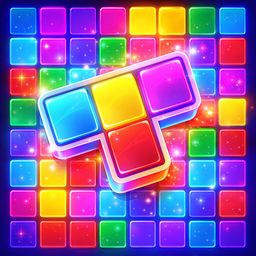
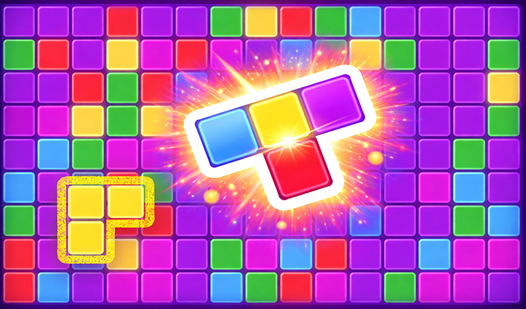
- Color-matching stress: You aren't just filling gaps. You have to line up specific colors or the blocks just sit there taking up space.
- Rotation freedom: Shapes rotate with a click. It saves your run when the board gets tight.
- Delayed updates: Shapes only update every three turns. Plan ahead.
- Clean board: The visual style is stripped back. It keeps your focus on the grid.
How to Play
How to handle Block Puzzle: colors controls
Use your mouse or tap the screen to drag pieces onto the grid. You need to rotate them to find the perfect fit. Since you asked how to play Block Puzzle: colors, remember that colors matter more than shape efficiency here. If you ignore the hues, you'll run out of room fast.
Mastering the Block Puzzle: colors logic
Clear space by stacking three or more blocks of the same color horizontally or vertically. A common mistake is filling the board too quickly without setting up combos. If you don't clear enough lines, the board chokes up. The real test starts when the game stops giving you the shapes you actually need.
Who Should Play Block Puzzle: colors?
Frequently Asked Questions about Block Puzzle: colors
How do you rotate pieces in Block Puzzle: colors?
Just click the piece or tap it once before you drop it onto the field. It pivots instantly, which is vital for squeezing blocks into those tiny, awkward gaps.
Can I play Block Puzzle: colors on my phone?
Yes, it works on mobile browsers perfectly. The touch controls feel responsive, though you might find the smaller screen makes those late-game color matches a bit of a nightmare.
Is Block Puzzle: colors free to play?
Yes, Block Puzzle: colors is completely free to play on Nub Games. There are no in-app purchases. No download or registration required.
Can I play Block Puzzle: colors on mobile?
Block Puzzle: colors works on both desktop and mobile devices. Best played in portrait mode.
What age rating is Block Puzzle: colors?
Block Puzzle: colors has a content rating of 0++. It is suitable for all ages.