







Key Features
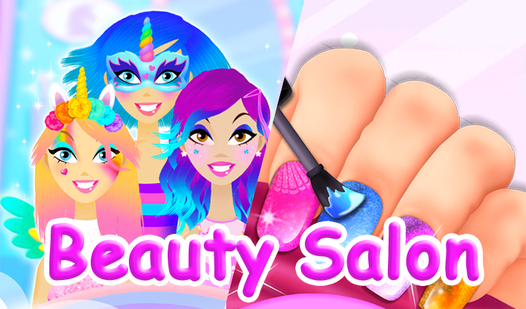
- Color chaos: The dye tool saturates strands instantly. You can test wild color combos that would cost a fortune in a real shop.
- Gem precision: Placing tiny rhinestones on nails feels like a high-stakes surgery. One slip and the whole design looks lopsided.
- Style freedom: Blow-drying and straightening hair changes the physics of the model's head. It feels surprisingly responsive for a simple browser title.
- Photo finish: Snap a final shot to see your work. It highlights every jagged edge you missed during the trimming phase.
How to Play
Beauty salon: Master the tools
Tap or click to drag your clippers and dryers. Learning how to play Beauty salon requires a steady hand, or you will end up with uneven layers. Beauty salon controls are basic, but don't get reckless with the scissors. One wrong swipe and your model ends up with a bald patch.
Fixing your Beauty salon mishaps
If you struggle with the nail polish, just focus on the base coats first. Most players try to rush the stickers and gems before the polish dries. Take your time. The interface gets a bit twitchy when applying the tiny gems to the edges of the fingernails.
Who Should Play Beauty salon?
Frequently Asked Questions about Beauty salon
Can I play Beauty salon on my phone?
Yes, you can run this game on your mobile device without any issues. The touch controls work quite well for dragging tools across the screen.
How do you remove polish in Beauty salon?
You need to use the wash tool to clear away mistakes. Just make sure you select the correct cleaning icon before you try to start a new color.
Is Beauty salon free to play?
Yes, Beauty salon is completely free to play on Nub Games. There are no in-app purchases. No download or registration required.
Can I play Beauty salon on mobile?
Beauty salon works on both desktop and mobile devices. Best played in portrait mode.
What age rating is Beauty salon?
The catalog age rating for Beauty salon is 12+.