


Key Features
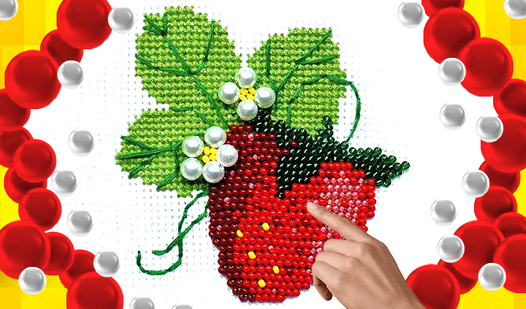
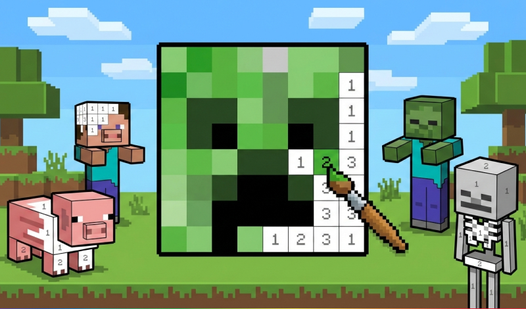
- Precision Work: The grid demands focus. A single misclick ruins the pattern, forcing you to undo and fix your mistake.
- Custom Canvas: Use the create button to build your own patterns. It turns the game into a sandbox for your designs.
- Relaxing Flow: It strips away the high-octane stress of an obby. You just click, fill, and watch the image emerge.
- Visual Clarity: The zoom mechanics are responsive. They make navigating large, complex patterns much easier on a small phone screen.
How to Play
Starting Beaded Pictures: The Basics
First, select a color from the bottom bar. Clicking a numbered cell drops the bead into its spot. Use your mouse to click or tap your screen if you are on mobile. The Beaded Pictures controls are simple, but the tiny grid can be tricky if you have clumsy fingers.
Beaded Pictures: Zooming In
When the canvas looks like a blurry mess, zoom in. Pinch your screen on mobile or spin your mouse wheel on a desktop. This is how to play Beaded Pictures without losing your mind over misplaced beads. Most players mess up by ignoring the zoom, which leads to mistakes on the edges.
Who Should Play Beaded Pictures?
Frequently Asked Questions about Beaded Pictures
How do you zoom in on Beaded Pictures?
On a computer, simply use the mouse wheel to scroll in or out. If you are on a phone, pinch two fingers together on the canvas to adjust your view.
Is Beaded Pictures safe for kids?
Yes, it is perfectly safe for children. The interface is clean and there are no chat features or external links that would put a younger player at risk.
Is Beaded Pictures free to play?
Yes, Beaded Pictures is completely free to play on Nub Games. There are no in-app purchases. No download or registration required.
Can I play Beaded Pictures on mobile?
Beaded Pictures works on both desktop and mobile devices. Best played in landscape mode.
What age rating is Beaded Pictures?
Beaded Pictures has a content rating of 0++. It is suitable for all ages.