
Key Features
- Full rotation: Spin the car 360 degrees to inspect your work. You will find every angle before you save your masterpiece.
- Eyedropper tool: Pick up existing colors from the model instantly. It keeps the design consistent across the entire frame.
- Twelve models: Choose from a dozen different car shapes. Each one offers a different set of curves to color.
- Photo export: Save your finished project as a picture file. Show off your painting skills to your friends.
How to Play
How to play 3D Coloring Book: Cars effectively
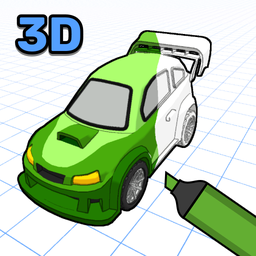
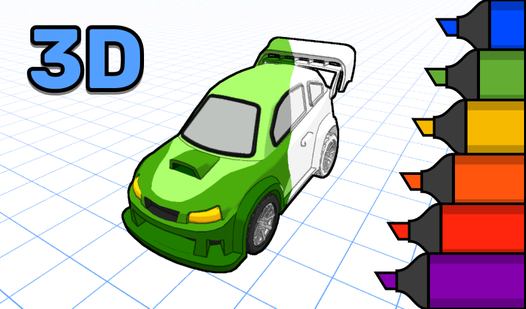
Left-click to splash paint onto the body panels. You need to rotate the chassis with the right mouse button to reach the hidden spots under the wheel wells. Using the 3D Coloring Book: Cars controls, you can zoom in with the scroll wheel for those tight lines. Don't rush your strokes.
3D Coloring Book: Cars: Using the eyedropper
Select the eyedropper tool to grab a color you already placed on the hood. It makes matching the trim to the paint job simple. Just keep in mind that the camera can get a bit twitchy when you zoom in too close. It happens to the best of us.
Who Should Play 3D Coloring Book: Cars?
Frequently Asked Questions about 3D Coloring Book: Cars
How do you zoom in 3D Coloring Book: Cars?
Just turn the mouse wheel forward to get a closer look at the car details. Pull back on the wheel to reset your view and see the whole vehicle.
Is 3D Coloring Book: Cars safe for kids?
Yes, it is entirely safe for children to use. There are no chat rooms or external links to worry about while they paint their favorite cars.
Is 3D Coloring Book: Cars free to play?
Yes, 3D Coloring Book: Cars is completely free to play on Nub Games. Optional in-app purchases are available. No download or registration required.
Can I play 3D Coloring Book: Cars on mobile?
3D Coloring Book: Cars is currently available on desktop only. Best played in landscape mode.
What age rating is 3D Coloring Book: Cars?
The catalog age rating for 3D Coloring Book: Cars is 0+.