





Key Features
- Clean UI: The interface is crisp and stays out of your way. Toggle between light and dark modes to stop eye strain during long sessions.
- Grid logic: Every piece counts when the grid gets tight. One bad placement ruins your entire flow.
- Audio toggle: Kill the music if you need to focus. Sometimes the silence is better for concentration.
- Instant reset: Mess up? Just restart and try again.
How to Play
Mastering 10x10 Color Blocks placement
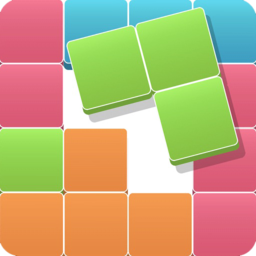
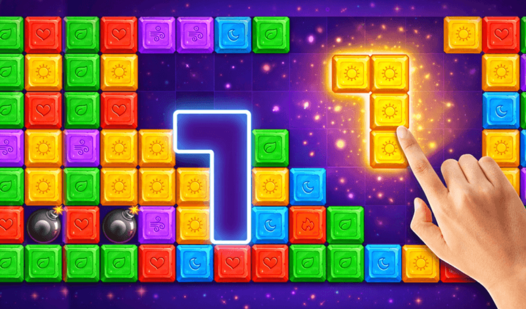
Use your mouse or tap the screen to drag shapes onto the grid. You need to fit them into the 10x10 space. A common mistake is filling the center too early, which leaves you with no room for the big blocks later. Learn how to play 10x10 Color Blocks by balancing your board.
Clearing lines in 10x10 Color Blocks
Once you form a complete horizontal or vertical row, it vanishes to give you space. The 10x10 Color Blocks controls are simple, but don't get lazy. You must plan two or three moves ahead. If you get sloppy, the grid clutters up fast. Keep your corners clear to survive the later stages.
Who Should Play 10x10 Color Blocks?
Frequently Asked Questions about 10x10 Color Blocks
Can I play 10x10 Color Blocks on my phone?
Yes, it runs on mobile browsers without needing an app. You can tap and drag blocks just as easily as you would on a desktop.
What games are similar to 10x10 Color Blocks?
If you like these, try Super PuzzleCraft for more block-based logic or Obby: IQ Escape from the Laboratory for a different test of your wits.
Is 10x10 Color Blocks free to play?
Yes, 10x10 Color Blocks is completely free to play on Nub Games. There are no in-app purchases. No download or registration required.
Can I play 10x10 Color Blocks on mobile?
10x10 Color Blocks works on both desktop and mobile devices. Best played in portrait mode.
What age rating is 10x10 Color Blocks?
The catalog age rating for 10x10 Color Blocks is 6+.