
MetalHunter Guide: How to Play and Use the Auction

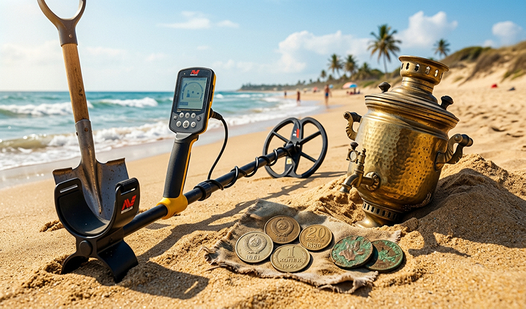
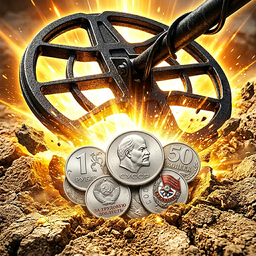
MetalHunter is a 3D treasure hunting simulator where you scan the ground with a metal detector, dig up discovered objects, and turn good finds into new opportunities. The goal is not to dig after every sound. You need to locate signals accurately, sell loot wisely, and invest the profit in useful equipment. A systematic search with controlled spending is the most reliable path to progress.
How do you play MetalHunter?
To play MetalHunter successfully, explore each location in even passes, watch how the signal changes, and dig only after narrowing down the target area.
The core loop is straightforward: search, verify a signal, dig, evaluate the find, sell or keep it, and buy a useful upgrade. The harder decisions happen between those actions. You can waste time walking over ground you have already checked, spend your savings on a new area too early, or sell an item that might be needed for the collection or a task.
Do not rush at the beginning. Learn how the sound and indicator react as you approach a target. When the signal gets stronger, walk slightly past it, turn around, and cross the same place from another direction. This reveals a small target area instead of leaving you to dig at random. After every find, decide what matters most at that moment: immediate currency, collection progress, or a possible auction return.
How do you play step by step?
Start with a short, controlled search cycle so you can learn the mechanics without wasting your starting resources.
- Survey the location - choose a visible landmark and create a reliable starting point for your route.
- Activate the metal detector - wait until the tool is ready and begin sweeping the coil above the ground.
- Walk in parallel passes - cover the area without leaving wide gaps or repeatedly crossing the same ground.
- Slow down at a signal - compare its strength at nearby points and identify the direction in which it increases.
- Cross the target from another side - narrow the response down to a small patch and rule out a random reading.
- Switch to the digging tool - excavate only after you are confident about the target position.
- Evaluate the find - check its value, rarity, and possible use in the collection or a task.
- Sell surplus items and fix a bottleneck - turn loot into faster scanning, easier digging, or access to a promising area.
The control layout can differ between desktop and mobile devices, so look for the detector, tool, and interaction icons. The underlying rule is the same on either platform: locate first and dig second. Digging after every brief response wastes time on unnecessary actions.
How should you search with the metal detector?
The most reliable method is to divide the terrain into imaginary lanes and clear them one by one instead of wandering randomly.
Start at one edge of the accessible area, walk toward the opposite side, shift by the width of your search lane, and return along a parallel line. Roads, trees, buildings, and map boundaries make useful landmarks. If the location has few visible details, turn the camera occasionally and check your position against the outer edges.
A reliable signal should repeat when the coil passes over the same point again. Approach it from two directions. If the strongest response appears in a different place each time, do not dig yet. Make a short control pass around the area. If the signal repeatedly peaks over one patch, it is time to use the shovel.
Do not judge a possible find from the first response alone. A weak signal may come from a deeper object or from the edge of the detector's active range. Try to center the coil before abandoning it. Ignoring weak signals becomes reasonable only after you understand how your current detector behaves.
How does the auction work in MetalHunter?
The auction is an economic tool for handling finds: select an eligible item, inspect the lot conditions, confirm the action, and later receive either the sale result or the returned item.
Exact buttons, waiting periods, and additional costs can change between game versions, so read the lot card before confirming anything. It should show which object is selected, how much currency you will receive or pay, whether there is a delay, and what happens if the process produces no result. Do not confirm a transaction until you understand every visible condition.
Duplicates and objects that are not needed for your next goal are the safest items to sell. Check a rare find against the collection and current tasks first. A high potential price does not make a deal automatically useful. You may need currency immediately, while an auction can involve waiting or an uncertain result.
If the interface offers both an instant sale and an auction, compare them using three questions:
- how much currency can you receive;
- how long will the transaction take;
- can you use the item or funds while the lot remains active.
An instant sale is usually more practical when you are only a little short of an important upgrade. The auction makes more sense for optional loot that you can remove from circulation temporarily in exchange for a potentially better return. Avoid listing every valuable object at once. Keep at least one useful find outside the trading section.
The word auction does not guarantee bidding against real players. Unless the rules explicitly describe a player marketplace, treat it as a separate selling system with its own conditions. This prevents you from planning around an immediate buyer or a steadily increasing bid that may never exist.
What should you upgrade first in MetalHunter?
Upgrade the tool that reduces your most common delay, whether that is detecting signals, centering the target, or digging up an object you have already located.
If most of your time is spent on empty passes, improving the metal detector is likely the better choice. If you find target points quickly but the excavation stage feels slow, inspect the available digging tools. An upgrade that helps during every search cycle is generally more useful than a feature you activate only once per session.
A new location is tempting, but unlocking it with your last coins is risky. A more expensive area will not fix an inefficient search route, and it does not guarantee an immediate rare find. Establish a stable profit on the available terrain, keep enough resources for another normal search, and unlock the next area afterward.
I would not divide the budget evenly between every upgrade category. Pick one limitation, remove it, and run several more search cycles. This makes the effect of the purchase easier to notice and reveals the next real bottleneck.
How can you earn currency faster?
Consistent income comes from a short and repeatable loop with minimal empty movement, not from waiting for one exceptionally rare discovery.
Begin on a location you know and choose your route before moving. Once you have gathered a useful batch of finds, return to the selling stage instead of wandering aimlessly for one more signal. Convert duplicates into currency, but check new or unusually rare objects against your collection and tasks first.
Separate your budget into operating funds and upgrade savings. Do not buy an improvement if the purchase leaves you unable to complete another full search cycle. Currency expected from an active auction lot should not count as available money until the transaction has actually finished.
For a change of pace, try a game built around resource gathering and steady tool progression.


Which mistakes slow down progress?
Progress is usually slowed by repeated expensive mistakes rather than simple bad luck.
The first mistake is random movement. A player checks the middle of the map several times while leaving large untouched lanes near the edges. The second is digging immediately after the first sound without confirming the position. The third is automatically selling every find, including new collection entries and possible task items.
Shopping creates another common problem. Several small purchases appear harmless but consume the savings needed for a meaningful upgrade. Compare purchases by how often they will help during a normal search cycle. A minor convenience can wait if detector accuracy or search speed still limits your income.
Finally, do not confuse access to new terrain with guaranteed profit. If you search the old location without a plan, you will repeat the same behavior in the new one, where the mistake may cost more.
Which tactics do I use myself?
I try to turn every search trip into a small experiment with a result I can understand.
- I start at the edge of the map and change direction only at a visible boundary. This lets me remember which lanes are complete even without a dedicated minimap.
- When I hear a signal, I make two crossing passes. If the peak matches, I dig. If the target seems to move, I scan again instead of spending an action blindly.
- Before selling, I keep the first copy of a new find and remove duplicates first. This reduces the chance of losing an object required by the collection or a task.
- I buy an upgrade only when I can name the exact problem it solves. A statement such as locating signals takes too long is more useful than simply wanting the most expensive available item.
If you want open exploration without economic pressure, a creative block world offers a more relaxed alternative.


What should you play after MetalHunter?
Choose your next game according to the part of MetalHunter you enjoyed most.
Mine Online suits players who like gathering resources, steadily improving tools, and working toward more valuable materials. Blocky World 3D Creative Mode focuses on free exploration and construction. The first game keeps efficiency and progression in the foreground, while the second gives you room to experiment with space and your own ideas.
FAQ
What is the goal of MetalHunter?
You search for objects hidden underground, evaluate your finds, sell surplus loot, and improve your equipment so you can explore current and newly unlocked locations more efficiently.
Why does the detector produce a signal when I cannot find the item?
The target area probably has not been narrowed down yet. Cross the signal from two directions, locate the strongest response, and switch to the digging tool afterward.
How do I use the auction in MetalHunter?
Select an eligible find, review its price and all other conditions in the lot card, confirm the action, and check the result after the displayed process ends. Conditions may depend on the game version.
What is the best early upgrade?
Choose an improvement for the slowest part of your normal cycle. Making regular searches or excavations faster is usually safer than spending your entire budget on an early location unlock.