









Key Features
- Grid physics: Tiles slide down to fill gaps after you score. This movement changes the entire board layout every single time you submit a word.
- Dynamic vocabulary: The game accepts obscure terms you might not expect. You can experiment with strange combinations to see what the engine actually counts.
- Visual feedback: Tiles pulse when you drag over them. It helps you track your chain path.
- Stiff touch: Sometimes the input feels a bit sticky on mobile. You might accidentally drop a chain if your finger slips just a millimeter.
How to Play
Word bits!: Mastering the basics
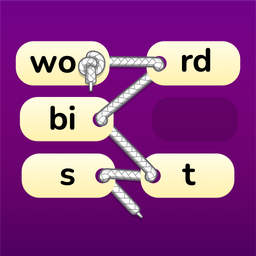
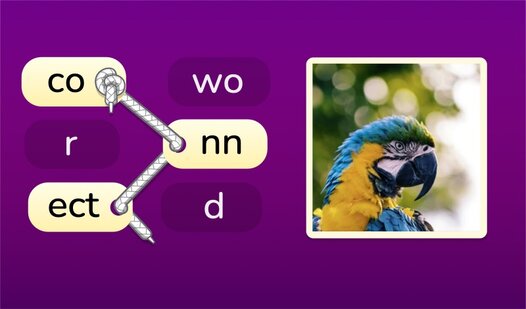
To learn how to play Word bits!, drag your mouse or finger across adjacent tiles to link letters. Once you form a valid word, lift to submit and watch them vanish. Word bits! controls are simple enough, but don't rush. Rushing leads to messy chains that leave you stranded with awkward consonants later on.
Word bits!: Finding the rhythm
Look for prefixes and suffixes first. They are the keys to unlocking long strings of points. If you get stuck, tap the bulb icon for a hint. Just remember that hints are limited, so save them for those boards that look absolutely impossible to solve without a little help.
Who Should Play Word bits!?
Frequently Asked Questions about Word bits!
How do you link letters in Word bits!?
You just click and drag across the board, moving from one letter to the next. The chain will highlight as you go, and you release the mouse to submit your word.
Can I play Word bits! on my phone?
Yes, it works on mobile browsers just as well as on desktop. The touch input is responsive, though the tiles can feel small if you have larger fingers.
Is Word bits! free to play?
Yes, Word bits! is completely free to play on Nub Games. Optional in-app purchases are available. No download or registration required.
Can I play Word bits! on mobile?
Word bits! works on both desktop and mobile devices. Best played in none mode.
What age rating is Word bits!?
Word bits! has a content rating of 0++. It is suitable for all ages.