











Key Features
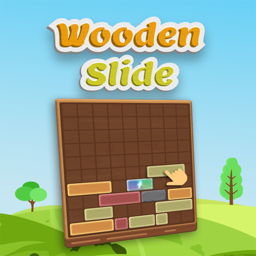
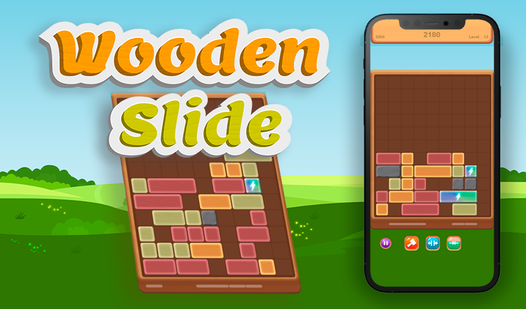
- Minimalist wood aesthetic: The clean textures keep your eyes focused on the grid. It feels like a quiet desk toy that suddenly starts fighting back.
- Strategic booster usage: You get three distinct power-ups to clear space. Use them once the board gets cramped or you will lose your streak.
- Scaling difficulty curve: The pace picks up as your score climbs. The blocks arrive faster, leaving you less time to plan your next move.
- Persistent high scores: Every cleared row adds to your lifetime total. You can see how much you improve after every single session.
How to Play
Wooden Slide: Master the layout
Use your mouse or tap the screen to drag pieces into the open slots. Wooden Slide controls demand a steady hand, so don't rush your initial placements. If you fill a row, it clears the space for more. One common mistake is ignoring the edges, which forces you into a corner early.
How to play Wooden Slide efficiently
Figure out how to play Wooden Slide by keeping your center rows open for incoming blocks. You need those lanes for the bulky pieces that show up later. Saving your boosters for when the grid looks hopeless is the only way to survive the difficulty spikes that appear mid-game.
Who Should Play Wooden Slide?
Frequently Asked Questions about Wooden Slide
Can I play Wooden Slide on my phone?
Yes, the game runs perfectly on mobile browsers. You just tap and drag the blocks exactly like you would with a mouse on your desktop.
How do you use boosters in Wooden Slide?
Click the booster icons at the bottom of your screen to trigger them. They act as a panic button when your board is nearly full and you cannot find a fit.
Is Wooden Slide free to play?
Yes, Wooden Slide is completely free to play on Nub Games. There are no in-app purchases. No download or registration required.
Can I play Wooden Slide on mobile?
Wooden Slide works on both desktop and mobile devices. Best played in portrait mode.
What age rating is Wooden Slide?
The catalog age rating for Wooden Slide is 6+.