











Key Features
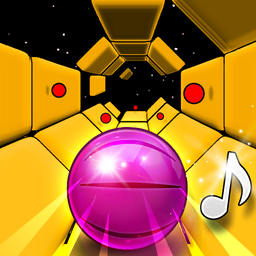
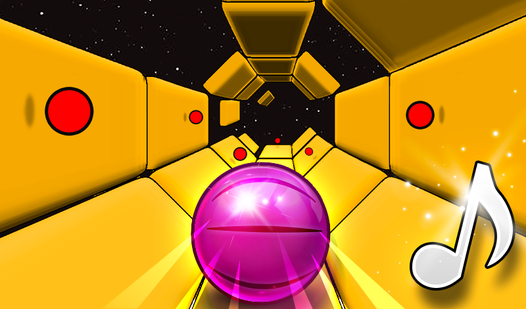
- Color-shifting intensity: The entire tunnel changes hues every stage. It acts as a visual sign that you need to focus harder.
- Split-screen chaos: Grab a buddy for the two-player mode. You'll need to coordinate your movements to survive the narrowest platform sections.
- Physics-based momentum: The ball gains speed constantly. You have to fight the momentum to stay on track.
- Desktop agility: This setup is built for 3d keyboard play. It feels snappy once you get the timing down.
How to Play
Two Tunnel 3D: Mastering the movement
Use the A, D, or arrow keys to shift your ball left and right. Learning how to play Two Tunnel 3D involves anticipating the track shifts before they hit. The Two Tunnel 3D controls feel a bit slippery at first, so don't be surprised if you slide off the edge immediately.
Surviving Two Tunnel 3D
Stay centered on the platforms to avoid falling into the void. A common mistake is overcompensating for the speed; just make tiny taps to adjust your position. The tunnel color swap is your only warning that the pace is about to ramp up. Try to keep your cool as things get chaotic.
Who Should Play Two Tunnel 3D?
Frequently Asked Questions about Two Tunnel 3D
Does Two Tunnel 3D have multiplayer?
Yes, you can toggle a two-player mode to race against a friend on the same screen. It makes the game much more intense when you are both trying to survive.
How do you control the ball in Two Tunnel 3D?
You use the A and D keys or your left and right arrow keys to slide the ball. Keep your fingers light on the buttons to avoid overshooting the platforms.
Is Two Tunnel 3D free to play?
Yes, Two Tunnel 3D is completely free to play on Nub Games. There are no in-app purchases. No download or registration required.
Can I play Two Tunnel 3D on mobile?
Two Tunnel 3D is currently available on desktop only. Best played in landscape mode.
What age rating is Two Tunnel 3D?
The catalog age rating for Two Tunnel 3D is 0+.