








Key Features
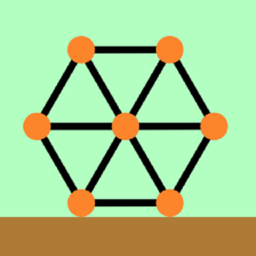
- Physics-based gravity: Every single stick affects the center of mass. A tiny miscalculation at the base ruins your entire climb.
- Infinite supply: You have unlimited sticks, so keep building until you hit the goal.
- Escalating instability: Higher levels force you to build on moving platforms. It gets frantic.
- Minimalist design: The clean look keeps you focused on the wobbling sticks.
How to Play
Mastering Tower Construct taps
Tap anywhere to snap a stick onto your structure. You need to time these taps perfectly to keep the center of gravity stable. Tower Construct controls are simple, but don't let that fool you. If you place a beam too far to the left, the whole thing tilts and crashes.
How to play Tower Construct effectively
Keep your tower centered under the goal marker. Most players try to rush the height, which is a common mistake that leads to instant failure. Once you learn how to play Tower Construct with a steady rhythm, you'll reach the top. Just watch out, because the later levels get super wobbly.
Who Should Play Tower Construct?
Frequently Asked Questions about Tower Construct
Can I play Tower Construct on my phone?
Yes, you can play it on your mobile browser without any issues. The touch interface feels better than a mouse for precise placements.
What is the best way to stop the tower from falling?
Build vertically whenever possible to keep your weight distribution even. If you start leaning, place your next stick on the opposite side to counter the momentum.
Is Tower Construct free to play?
Yes, Tower Construct is completely free to play on Nub Games. There are no in-app purchases. No download or registration required.
Can I play Tower Construct on mobile?
Tower Construct works on both desktop and mobile devices. Best played in portrait mode.
What age rating is Tower Construct?
Tower Construct has a content rating of 0++. It is suitable for all ages.