











Key Features
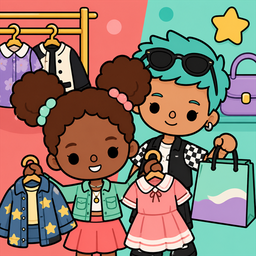
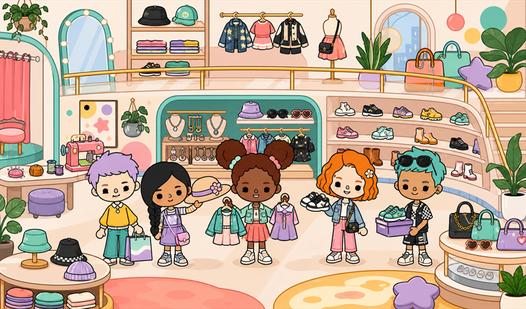
- Instant Wardrobe: Click any rack to swap outfits instantly. You can mix and match styles until you find the perfect vibe.
- Photo Mode: Capture the look with a quick button press. It saves your best style moments.
- Character Drag: Position anyone anywhere in the room. You have total freedom to arrange your scene.
- Simple [house](/tag/house) layout: Everything stays in one place. You will not get lost looking for items.
How to Play
Toca World: Fashion Store: Mastering the interface
Use your mouse or tap the screen to drag characters across the shop floor. These are your Toca World: Fashion Store controls, and they are mostly responsive. Just watch out for the drag-and-drop hitbox. Sometimes it feels a bit floaty when you try to place items on the shelves.
How to play Toca World: Fashion Store like a pro
To figure out how to play Toca World: Fashion Store, start by clicking the clothing racks to swap outfits. Once your character looks good, hit the camera button to snap a selfie. It is the best way to save your favorite looks before you move on to the next mannequin.
Who Should Play Toca World: Fashion Store?
Frequently Asked Questions about Toca World: Fashion Store
Can I play Toca World: Fashion Store on my phone?
Yes, it works fine on mobile browsers. Just tap and drag your characters around the store screen just like you would on a computer.
How do you take photos in Toca World: Fashion Store?
Look for the camera icon on the screen while you are playing. Click it to snap a picture of your character in their current outfit.
Is Toca World: Fashion Store free to play?
Yes, Toca World: Fashion Store is completely free to play on Nub Games. There are no in-app purchases. No download or registration required.
Can I play Toca World: Fashion Store on mobile?
Toca World: Fashion Store works on both desktop and mobile devices. Best played in landscape mode.
What age rating is Toca World: Fashion Store?
The catalog age rating for Toca World: Fashion Store is 6+.