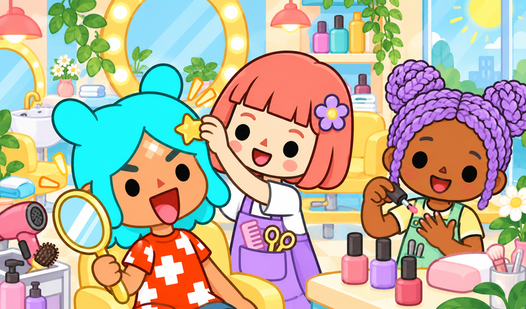












Key Features
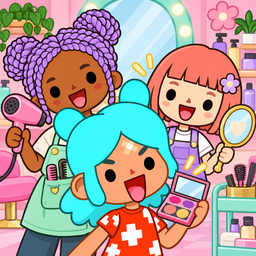
- Room customizer: Pick furniture from a dedicated menu to change the vibe. You can drag items anywhere to make the space feel lived-in.
- Snapshot tool: Grab a photo of your setup instantly.
- Interactive items: Everything you place reacts to your characters. It keeps the rooms from feeling stiff or static.
- Fourteen locations: Explore different areas to find new items. Each spot has its own theme.
How to Play
Toсa World: Beauty Salon: Getting started
To learn how to play Toсa World: Beauty Salon, just click on any house on the main map to enter. You use your mouse or finger as the primary tool. Drag characters or items around by holding the cursor down. Don't worry if things get messy; you can always reset the scene.
Mastering Toсa World: Beauty Salon controls
To interact with objects, drag them directly onto a character. The Toсa World: Beauty Salon controls are simple, but clicking tiny items can be a chore on smaller screens. If you want to feed someone, just drop the food near their face. It works every time, provided you do not move too fast.
Who Should Play Toсa World: Beauty Salon?
Frequently Asked Questions about Toсa World: Beauty Salon
Can I play Toсa World: Beauty Salon on my phone?
Yes, it works perfectly on mobile browsers. You just tap and drag instead of clicking, which feels pretty natural for this kind of game.
How do you take photos in Toсa World: Beauty Salon?
Just click the camera icon on the screen whenever you are happy with your layout. It saves a snapshot of your current work immediately.
Is Toсa World: Beauty Salon free to play?
Yes, Toсa World: Beauty Salon is completely free to play on Nub Games. There are no in-app purchases. No download or registration required.
Can I play Toсa World: Beauty Salon on mobile?
Toсa World: Beauty Salon works on both desktop and mobile devices. Best played in none mode.
What age rating is Toсa World: Beauty Salon?
The catalog age rating for Toсa World: Beauty Salon is 12+.