











Key Features
- Tactical word hunting: The board layout forces you to plan ahead. You have to clear specific letters to reach the tiles beneath.
- Zero pressure zone: There are no ticking clocks here. You take as long as you want to spot the next valid word.
- Persistent board state: The game saves your progress automatically. You never lose your spot if you need to step away for a bit.
- Hint system help: Stuck on a tricky board? The hint button highlights a pair for you when things get too quiet.
How to Play
Tiny Words: How to clear tiles
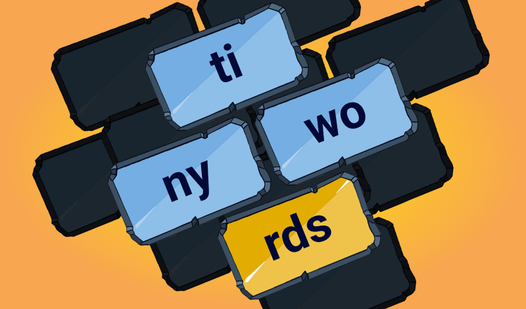
Tap two free tiles to form a word and wipe them away. A tile counts as free only if it sits on the edge or top of the stack. Check the Tiny Words controls by clicking or tapping pieces to see if they react. Master how to play Tiny Words by clearing outer edges first.
Tiny Words: Avoiding the trap
Watch out for tiles blocked by others. A common mistake involves burning through your easy pairs too quickly, leaving you stuck with no moves later. If you run dry, use a hint. The later boards get messy, so stop rushing and look for the connections that open up the most space.
Who Should Play Tiny Words?
Frequently Asked Questions about Tiny Words
Can I play Tiny Words on my phone?
Yes, you can play it on your mobile device as well as your desktop. The touch controls work just as well as a mouse for tapping tiles.
How do I get unstuck in Tiny Words?
If you cannot find any moves, click the hint button to see a pair. Sometimes you might need to restart if you made poor choices early on.
Is Tiny Words free to play?
Yes, Tiny Words is completely free to play on Nub Games. There are no in-app purchases. No download or registration required.
Can I play Tiny Words on mobile?
Tiny Words works on both desktop and mobile devices. Best played in landscape mode.
What age rating is Tiny Words?
The catalog age rating for Tiny Words is 0+.