







Key Features
- Keyboard rhythm: The game demands a steady tempo. If you stumble on a single key, the entire wave of blocks piles up instantly.
- Pixel aesthetic: The medieval art style keeps the visuals clean. It makes the letters pop against the background so you never lose focus.
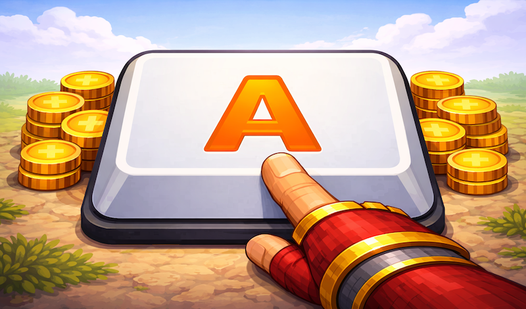
- Coin economy: You earn gold for every successful hit. Spend it to make your sword look cooler while you grind out higher scores.
- Increasing pressure: Later levels are kind of unfair. The drop speed gets intense enough that you might miss a block just by blinking.
How to Play
Mastering Text KING basics
To start, look at the blocks falling toward the bottom of the screen. You must type the specific letter shown on each block to smash it before it hits the ground. Use your standard QWERTY keyboard to input these characters. Learn how to play Text KING by focusing on accuracy over raw speed at first.
Upgrade your gear in Text KING
Every destroyed block drops coins that you collect automatically. Head to the shop to swap your starter blade for a custom sword or a fancy new crown. Text KING controls are simple, but don't let that fool you. A common mistake is trying to type too fast and hitting the wrong key, which ruins your rhythm.
Surviving the Text KING grind
As you progress, the blocks drop with much less warning. You will need to keep your eyes glued to the center of the screen to catch every incoming threat. The difficulty spikes hard in the later stages, so prepare to restart a few times. It gets chaotic, but that is where the real fun starts.
Who Should Play Text KING?
Frequently Asked Questions about Text KING
How do you upgrade your sword in Text KING?
Just click the shop icon between rounds to spend the coins you earned from smashing blocks. You can pick up new skins and better blades to flex on your high score.
Can I play Text KING on my phone?
This game is built for desktop keyboards, so you will need a physical board to keep up with the incoming blocks. Mobile touchscreens just cannot handle the speed required here.
What games are similar to Text KING?
If you enjoy fast-paced challenges, check out Hunt for Brainrots: Online or try the chaos of Avoid Waves - Rescue Memes! for a different kind of reflex test.
Is Text KING free to play?
Yes, Text KING is completely free to play on Nub Games. There are no in-app purchases. No download or registration required.
Can I play Text KING on mobile?
Text KING is currently available on desktop only. Best played in landscape mode.
What age rating is Text KING?
Text KING has a content rating of 12++. Parental guidance may be recommended for younger players.