











Key Features
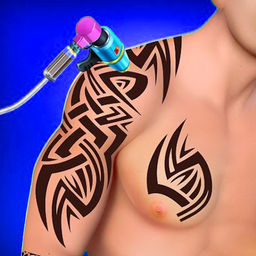
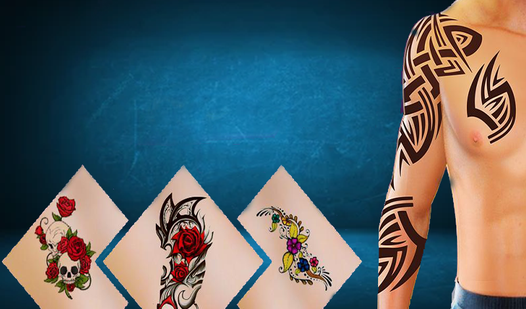
- Clean Canvas Selection: Pick between four different clients. Each person has a specific area of skin waiting for your ink.
- Quick Design Swaps: The list scrolls fast, letting you cycle through dozens of styles. Finding the right match feels satisfying.
- Instant Color Application: Clicking a design instantly fills the lines with color. It keeps the pace snappy.
- Minimalist UI: The interface stays out of your way. You only see the tools you need.
How to Play
Tattoo Salon Design: Getting Started
First, select your client from the menu. Once you decide, use the mouse or a touch screen to scroll through the sword and floral designs. Learning how to play Tattoo Salon Design is simple: just find a pattern you like and click to slap it onto the skin.
Tattoo Salon Design: Mastering the Controls
Tattoo Salon Design controls rely on simple clicks or taps. Watch out for the alignment, as the game does not auto-snap your art to the center. It is a common mistake to place things too far to the left, which cuts off half your design. Take your time.
Who Should Play Tattoo Salon Design?
Frequently Asked Questions about Tattoo Salon Design
Can I play Tattoo Salon Design on my phone?
Yes, it works perfectly on mobile devices. Just use your touch screen to swipe through the list and tap the design you want to apply.
What are the controls for Tattoo Salon Design?
You use the mouse wheel to scroll through the available tattoo options on desktop. Once you find the one you want, just left-click to place it on your client.
Is Tattoo Salon Design free to play?
Yes, Tattoo Salon Design is completely free to play on Nub Games. There are no in-app purchases. No download or registration required.
Can I play Tattoo Salon Design on mobile?
Tattoo Salon Design works on both desktop and mobile devices. Best played in portrait mode.
What age rating is Tattoo Salon Design?
The catalog age rating for Tattoo Salon Design is 12+.