









Key Features
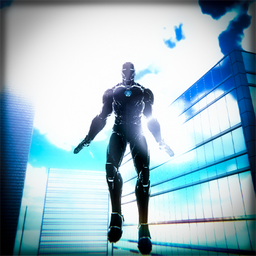
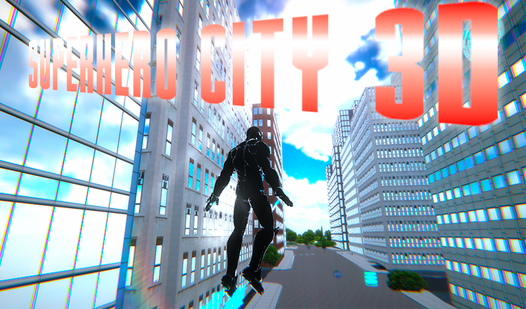
- Urban flight mechanics: Soaring between towers feels heavy, giving your hero actual weight. You have to account for that inertia when banking around corners.
- Vertical sandbox: The city is stacked. Getting to the top of the tallest building is a challenge.
- Aiming view: Right-click to focus your vision. It helps when you are trying to land on a specific ledge.
- Visual scale: The skyscrapers look massive from street level. They make you feel like a speck in this simulator.
How to Play
Superhero City 3D: Mastering Movement
Use WASD to walk, SHIFT to sprint, and F to flip the switch into flight mode. Learning the Superhero City 3D controls takes a minute because the momentum feels a bit heavy. You’ll want to tap F early when jumping off ledges to gain altitude before you hit the pavement.
How to play Superhero City 3D efficiently
Keep your eyes on the horizon while flying. A common mistake is staring directly at the ground, which makes you miss the platform edges. Once you grasp the basics, look for high rooftops to collect hidden bonuses. That is how to play Superhero City 3D like you actually own the place.
Who Should Play Superhero City 3D?
Frequently Asked Questions about Superhero City 3D
How do you fly in Superhero City 3D?
Just press the F key while you are on the ground or in mid-air. It toggles your flight status so you can traverse the city from the sky.
What are the controls for Superhero City 3D?
You use WASD to move, SHIFT to run, and the mouse to look around. Right-click enters an aiming mode, and ESC or P opens your settings menu.
Is Superhero City 3D free to play?
Yes, Superhero City 3D is completely free to play on Nub Games. There are no in-app purchases. No download or registration required.
Can I play Superhero City 3D on mobile?
Superhero City 3D is currently available on desktop only. Best played in landscape mode.
What age rating is Superhero City 3D?
The catalog age rating for Superhero City 3D is 12+.