



Key Features
- Gravity manipulation: Flip gravity upside down to watch your creations fall toward the ceiling. It turns every standard room into a disorienting trap.
- Weapon variety: Select from an arsenal of tools to test structural integrity. Some weapons hit with way more force than you expect.
- Custom environments: Modify the friction of every surface. Sliding floors make moving targets impossible to hit.
- Physics sandbox: Test how different objects bounce or shatter. The interactions feel unpredictable.
- Mobile support: Touch controls work for quick setups on the go.
How to Play
Stick Playground Sandbox: Master the Physics
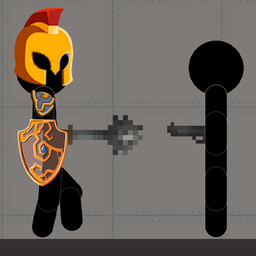
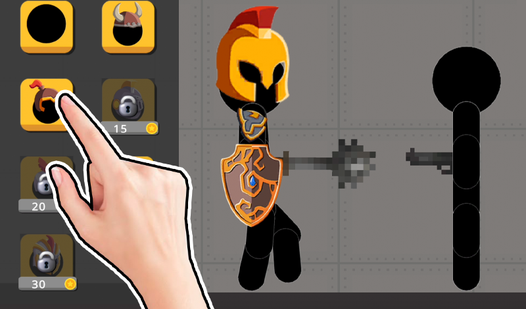
Stick Playground Sandbox controls are simple: use your left mouse button to drag items or tap your screen to interact. Don't go overboard with the gravity settings right away. You need to understand how objects collide before you start launching ragdolls across the entire map at Mach speed.
Creative carnage in Stick Playground Sandbox
This is how to play Stick Playground Sandbox if you want results: build your own traps. Set up a maze, add some spikes, and see if your creation holds up. One common mistake is spawning too many items at once, which makes the whole thing stutter like a slideshow.
Stick Playground Sandbox: Escalating the chaos
Once you get bored with basic traps, mess with the friction parameters. Turning friction off makes everything turn into a hockey puck nightmare. It gets wild once you start layering multiple weapons, but keep an eye on the frame rate because it can get pretty janky when things explode.
Who Should Play Stick Playground Sandbox?
Frequently Asked Questions about Stick Playground Sandbox
Can I play Stick Playground Sandbox on my phone?
Yes, you can play directly in your mobile browser. The touch and swipe controls are calibrated for quick interactions, though tiny buttons can be a bit annoying.
How do you change gravity in Stick Playground Sandbox?
Open the settings menu and look for the physics sliders. Adjusting the gravity parameter lets you simulate low-orbit environments or heavy crushing force with just a quick swipe.
Is Stick Playground Sandbox free to play?
Yes, Stick Playground Sandbox is completely free to play on Nub Games. There are no in-app purchases. No download or registration required.
Can I play Stick Playground Sandbox on mobile?
Stick Playground Sandbox works on both desktop and mobile devices. Best played in landscape mode.
What age rating is Stick Playground Sandbox?
Stick Playground Sandbox has a content rating of 12++. Parental guidance may be recommended for younger players.