






Key Features
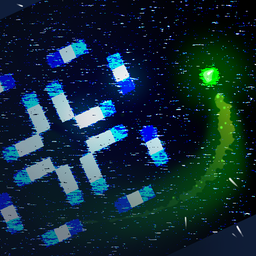
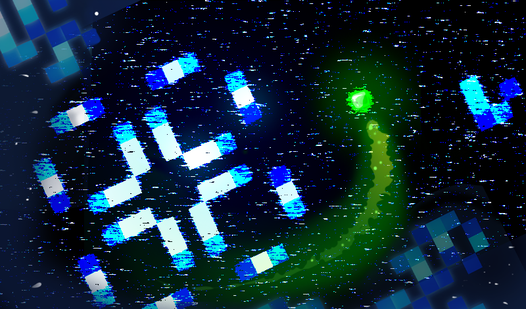
- Active Character: Moving your avatar across the grid means you can influence specific sectors of the simulation, unlike traditional passive automaton games.
- Energy Economy: Every pixel creation drains your reserves, forcing you to hunt for stable structures to survive.
- Pixel Scanning: Holding Shift turns your character into a vacuum for elderly cells.
- Custom Worlds: Adjust the grid size or turn on toroidal wrapping to see how your patterns behave in a loop.
How to Play
Stable Point: Master the movement
Use WASD or arrow keys to navigate the grid. Learning how to play Stable Point requires you to balance your movement with your creation. Use the mouse to drop cells where you want them. Don't waste your starting 5000 energy early on, or you will be forced into a reset before you get anywhere.
Stable Point: The scanning loop
Stable Point controls rely on the Shift key to suck up stable, white cells. Hold shift to collect them and restore your energy. A common mistake is ignoring the seven-generation rule, which turns tired cells into harvestable energy. If you hover near a structure too long, you might accidentally destroy your own progress.
Who Should Play Stable Point?
Frequently Asked Questions about Stable Point
How do you restore energy in Stable Point?
You restore energy by scanning stable cells that have survived for at least seven generations. Hold the Shift key near these white pixels to pull them into your reserve.
What are the controls for Stable Point?
You use WASD or the arrow keys to move your character around the field. LMB creates or deletes cells, and holding Shift allows you to scan for energy.
Is Stable Point free to play?
Yes, Stable Point is completely free to play on Nub Games. There are no in-app purchases. No download or registration required.
Can I play Stable Point on mobile?
Stable Point is currently available on desktop only. Best played in landscape mode.
What age rating is Stable Point?
Stable Point has a content rating of 0++. It is suitable for all ages.