









Key Features
- Color-coded logic: Every obstacle demands a specific movement. You must track multiple colors simultaneously as the pace picks up.
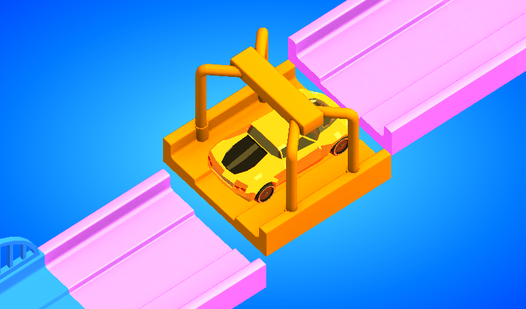
- Visual feedback: The 3D models look clean. It makes spotting a jammed lever much easier.
- Escalating chaos: Levels start with one hazard. Soon you are juggling four at once.
- No clutter: The interface stays out of your way. You get a clear view of the road.
How to Play
Road Fixer: Mastering the controls
To learn how to play Road Fixer, start by observing the color-coded levers on your sidebar. You use your mouse or finger to slide these controls. Road Fixer controls feel a bit sticky on the edges, so keep your movements deliberate. Don't rush, or you will jam the mechanism completely.
Road Fixer: Solving the obstacles
Match the colors of the levers to the road hazards. Twist the orange twisters until they align, hold the blue buttons to clear the lane, and drag the green sticks to open paths. If you lose focus for even a second, the car hits a barrier. Expect to restart a few times.
Who Should Play Road Fixer?
Frequently Asked Questions about Road Fixer
Can I play Road Fixer on my phone?
Yes, it runs on mobile browsers just as well as on a desktop. You just tap and drag the levers instead of clicking with a mouse.
How do you clear the blue buttons in Road Fixer?
You need to press and hold the blue button until the obstacle fully retracts. If you let go too early, the barrier snaps back into place instantly.
Is Road Fixer free to play?
Yes, Road Fixer is completely free to play on Nub Games. There are no in-app purchases. No download or registration required.
Can I play Road Fixer on mobile?
Road Fixer works on both desktop and mobile devices. Best played in portrait mode.
What age rating is Road Fixer?
Road Fixer has a content rating of 0++. It is suitable for all ages.