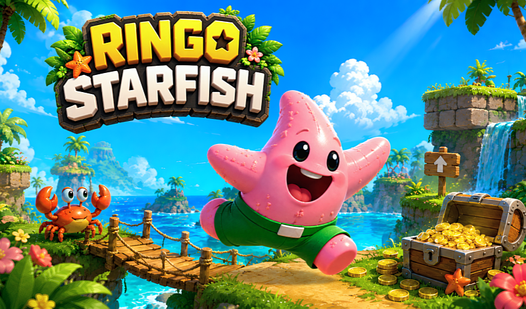











Key Features
- Tight movement: The double jump feels sharp. It gives you just enough airtime to clear those wide gaps.
- Aggressive enemies: They don't just patrol. They actively hunt you down, forcing you to time your shots.
- Checkpoint system: Levels are long. Dying at the exit without a save point is a total nightmare.
- Slippery physics: The movement engine feels a bit floaty at times. You might slide off ledges if you aren't careful.
How to Play
Mastering Ringo Starfish controls
To learn how to play Ringo Starfish, use your arrow keys or WASD to navigate the terrain. Press W or the up arrow to jump. If you need more height, just tap it again for a double jump. Ringo Starfish controls are snappy, but watch your momentum on icy surfaces.
Ringo Starfish: Combat and crystals
Use the X or J keys to fire projectiles at enemies blocking your path. Don't just rush through; collect every crystal you see. A common mistake is ignoring the checkpoint tool, which saves your progress after those brutal jumps. You will definitely need those save points when the later stages get mean.
Who Should Play Ringo Starfish?
Frequently Asked Questions about Ringo Starfish
How do you double jump in Ringo Starfish?
Simply press the jump key twice in quick succession while you are in the air. Time the second tap at the peak of your arc for maximum distance.
Can I play Ringo Starfish on my phone?
Yes, it works perfectly on mobile devices. Just use the touch controls on your screen to move and fire without needing any extra hardware.
Is Ringo Starfish free to play?
Yes, Ringo Starfish is completely free to play on Nub Games. There are no in-app purchases. No download or registration required.
Can I play Ringo Starfish on mobile?
Ringo Starfish works on both desktop and mobile devices. Best played in landscape mode.
What age rating is Ringo Starfish?
The catalog age rating for Ringo Starfish is 6+.