








Key Features
- Scaling piece counts: Start with twenty pieces for a quick warm-up. If you want a real test, jump to thirty-five.
- Visual grid guide: Toggle the ghost image to help align your edges. It saves you from guessing.
- Sixty-seven levels: There is a ton of variety here. You won't run out of things to solve anytime soon.
- Brain training: Perfect for brain training during a coffee break. It keeps your eyes sharp.
How to Play
Mastering the Potter Puzzles board
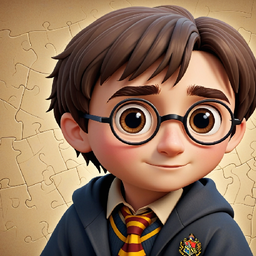
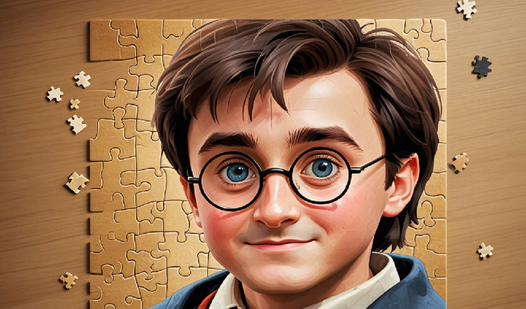
To figure out how to play Potter Puzzles, just grab an element with your mouse or finger and drag it where it fits. You can toggle the grid view to see the final picture. It makes life much easier when you are dealing with thirty-five pieces scattered everywhere.
Potter Puzzles controls and strategy
Your Potter Puzzles controls are point-and-click or touch-based. Be warned: the pieces can feel a bit cramped on smaller phone screens, so zoom in early. A common mistake is trying to force pieces together that do not actually connect. Take your time, or you will end up frustrated.
Who Should Play Potter Puzzles?
Frequently Asked Questions about Potter Puzzles
Can I play Potter Puzzles on my phone?
Yes, you can absolutely play Potter Puzzles on mobile devices. The touch controls are responsive enough to drag pieces around, though you will definitely want to use the zoom feature.
How many levels does Potter Puzzles have?
The game currently offers sixty-seven different levels. Each one increases in complexity, so you will stay occupied for a while as you work through the full set.
Is Potter Puzzles free to play?
Yes, Potter Puzzles is completely free to play on Nub Games. There are no in-app purchases. No download or registration required.
Can I play Potter Puzzles on mobile?
Potter Puzzles works on both desktop and mobile devices. Best played in landscape mode.
What age rating is Potter Puzzles?
Potter Puzzles has a content rating of 6++. It is suitable for all ages.