












Key Features
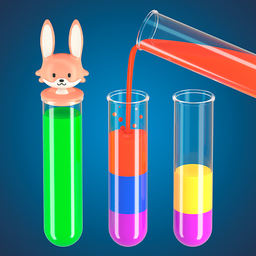
- Clean 3D Visuals: The bottles look crisp and clear. It helps you track colors without getting eye strain.
- Logical Brain Training: You have to map out your moves three steps ahead. One wrong pour forces you to restart the whole mess.
- Undo Your Mistakes: Panic buttons are included for when you realize you buried a required color at the bottom of a stack.
- Simple Touch Inputs: Everything feels snappy on mobile. You won't fight the interface to get your liquids where they belong.
How to Play
Potions Master 3D: The Basics
To learn how to play Potions Master 3D, just tap a vessel to lift it and tap another to pour. The Potions Master 3D controls are simple, but don't get cocky. You can only move liquid if there is enough room in the target tube. It is basic logic, really.
Potions Master 3D: Avoiding Disaster
Watch your top layers carefully. A common mistake is dumping a color into a tube that cannot hold it, which leaves you stuck. If you mess up, just hit reset or use the undo button to salvage your run. The later stages get cramped, so think twice before you pour.
Who Should Play Potions Master 3D?
Frequently Asked Questions about Potions Master 3D
How do you rotate vessels in Potions Master 3D?
You just press and hold on the screen to swivel the view. It helps you see the colors hidden in the back row when the stack gets tall.
Can I play Potions Master 3D on my phone?
Yes, it works great on mobile devices. You can jump into the puzzles anywhere without worrying about installing an app or managing storage space.
Is Potions Master 3D free to play?
Yes, Potions Master 3D is completely free to play on Nub Games. Optional in-app purchases are available. No download or registration required.
Can I play Potions Master 3D on mobile?
Potions Master 3D works on both desktop and mobile devices. Best played in portrait mode.
What age rating is Potions Master 3D?
The catalog age rating for Potions Master 3D is 0+.