











Key Features
- Smart color snapping: The game highlights matching numbers when you select a color. It prevents you from wasting time scanning the entire canvas for tiny pixels.
- Speedy bonus tools: Use boosters to fill large sections. They save you from manual clicking when you just want to finish that complex animal portrait.
- Massive gallery access: You earn coins for every completed piece. Spend these to unlock new categories like cars or nature scenes immediately.
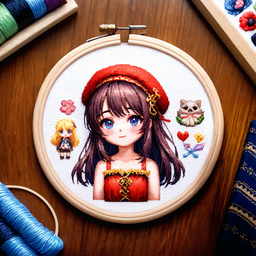
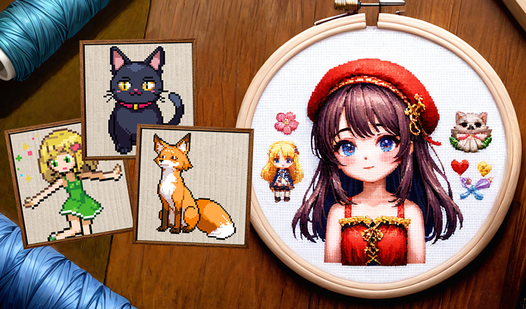
- Satisfying pixel art: The final images look like stitched embroidery. The detail is sharp, though the smaller screens make some pixels feel way too tiny.
How to Play
Pixels: Coloring-embroidery by numbers: Mastering the interface
To start, just tap or click a color from your palette at the bottom. Pixels: Coloring-embroidery by numbers controls are simple since you only need a mouse or your finger. Don't try to fill the whole image at once. Focus on one color group to clear those cells quickly.
How to play Pixels: Coloring-embroidery by numbers efficiently
Double-tap a color to jump straight to the next available spot on the grid. This is how to play Pixels: Coloring-embroidery by numbers without losing your mind during the massive, intricate images. A common mistake is zooming in too far; you lose track of the overall pattern that way.
Who Should Play Pixels: Coloring-embroidery by numbers?
Frequently Asked Questions about Pixels: Coloring-embroidery by numbers
Can I play Pixels: Coloring-embroidery by numbers on my phone?
Yes, it works perfectly on mobile devices using touch gestures. You can pinch to zoom and drag to paint just as easily as on a desktop.
How do you clear large areas in Pixels: Coloring-embroidery by numbers?
You should use the provided bonuses to speed up the process. They clear multiple pixels at once, which helps when you are stuck on a giant, boring background.
Is Pixels: Coloring-embroidery by numbers free to play?
Yes, Pixels: Coloring-embroidery by numbers is completely free to play on Nub Games. There are no in-app purchases. No download or registration required.
Can I play Pixels: Coloring-embroidery by numbers on mobile?
Pixels: Coloring-embroidery by numbers works on both desktop and mobile devices. Best played in none mode.
What age rating is Pixels: Coloring-embroidery by numbers?
The catalog age rating for Pixels: Coloring-embroidery by numbers is 0+.




![[Multiplayer] Obby: Parkour Platformer](https://static.playhop.com/images/cfbbc_1892995_7a7b0/fbef20be9/2a0000019f316e4c_048e06e/fce01478e678a41d0005_c2d2f3/cover1)