







Key Features
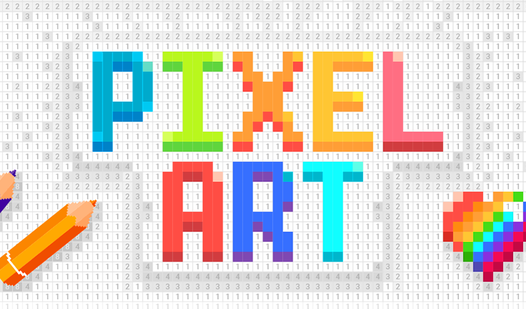
- Number-coded logic: The grid acts like a map. You follow the digits to watch a complete, detailed picture emerge from the void.
- Stress relief: Focusing on small, colorful squares forces your brain to quit worrying about real-world nonsense. It is surprisingly quiet.
- Zero pressure: There are no timers or losing states. You work at your own pace until the entire canvas is finished.
- Infinite variety: Tons of patterns await. Some pictures are simple icons, while others are massive, complex designs that take serious focus.
How to Play
Pixel Art: Finding your flow
Tap or click a color from the bottom bar to select it, then find the matching numbers on the grid. Pixel Art controls are simple: just tap the squares to fill them in. A common mistake is rushing through the tiny details; you will definitely misclick if you go too fast.
How to play Pixel Art better
To master how to play Pixel Art, try focusing on one color group at a time. It keeps the board clean. Don't worry about the timer or score, just watch the image take shape. Later levels pack in way more squares, which makes the screen feel cluttered and kind of annoying.
Who Should Play Pixel Art?
Frequently Asked Questions about Pixel Art
Can I play Pixel Art on my phone?
Yes, you can use your touchscreen to tap the grid on mobile devices. It works just as well as using a mouse on a desktop browser.
What games are similar to Pixel Art?
If you enjoy this, check out Avoid Waves - Rescue Memes! for a different vibe. You might also like the chaotic energy of Obby: Brainrot Train Chase.
Is Pixel Art free to play?
Yes, Pixel Art is completely free to play on Nub Games. There are no in-app purchases. No download or registration required.
Can I play Pixel Art on mobile?
Pixel Art works on both desktop and mobile devices. Best played in portrait mode.
What age rating is Pixel Art?
The catalog age rating for Pixel Art is 0+.