







Key Features
- Glitchy physics: Objects bounce in ways that feel slightly off. You have to anticipate the jank to win.
- Star economy: Your remaining moves translate into stars. You need them to progress, which keeps you conservative.
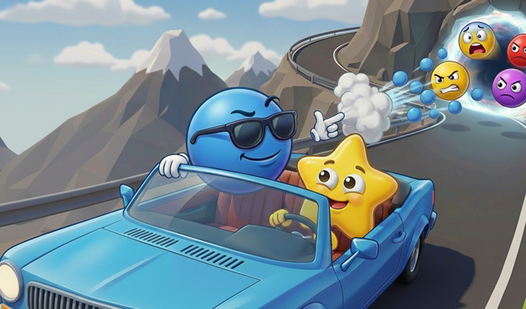
- Portal timing: The monsters come out in waves. If you let them pile up, the screen becomes a mess.
- Grid puzzles: The city layout changes constantly. You have to adapt your strategy to the new geometry.
How to Play
Mastering Panic in Parking City movement
Panic in Parking City controls are simple enough: just swipe or click the cars to launch them toward the defense line. How to play Panic in Parking City involves timing your shots so the vehicles crash exactly where you need them. Don’t rush, or you’ll miss the targets entirely.
Panic in Parking City collision logic
Sometimes you have to smash cars together to clear the board. Use the environment to bank your shots off walls. A common mistake is wasting all your moves early on. Save at least one star at the end of the round if you want to unlock the next level.
Who Should Play Panic in Parking City?
Frequently Asked Questions about Panic in Parking City
Can I play Panic in Parking City on my phone?
Yes, it works on mobile browsers without any issues. The touch controls are actually more responsive than using a mouse on a desktop.
How do you clear levels in Panic in Parking City?
You must launch cars into the portals to seal them. If you run out of moves before the glitches are gone, you have to restart the level.
Is Panic in Parking City free to play?
Yes, Panic in Parking City is completely free to play on Nub Games. Optional in-app purchases are available. No download or registration required.
Can I play Panic in Parking City on mobile?
Panic in Parking City works on both desktop and mobile devices. Best played in none mode.
What age rating is Panic in Parking City?
Panic in Parking City has a content rating of 12++. Parental guidance may be recommended for younger players.