






Key Features
- Colliding physics: Creatures wobble and roll when they hit. A bad drop sends your entire collection scattering across the screen.
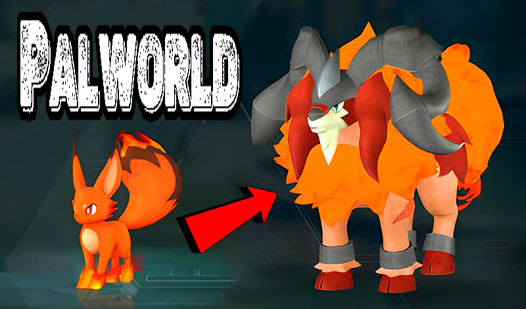
- Size scaling: Connecting Pals turns them into bigger beasts. The screen gets crowded fast.
- Sphere utility: Use your sphere to fix errors. It prevents the board from overflowing.
- Casual pace: This is perfect for relaxing between tasks.
How to Play
Palworld: mastering the drop
Use your mouse or tap the screen to aim where the creature falls. You need to line up identical Pals so they collide and grow into a larger, heavier version. Palworld controls are simple enough, but watch your spacing. If you crowd the screen, the physics engine gets jittery and things might fly off the edge.
Palworld: clearing the clutter
Keep a pal sphere handy for when you mess up your layout. It lets you delete an extra creature that is blocking your path or ruining your stack. Learning how to play Palworld effectively means knowing when to clear space instead of just hoping for a lucky bounce to fix your mistakes.
Who Should Play Palworld?
Frequently Asked Questions about Palworld
How do you clear mistakes in Palworld?
You use the pal sphere tool to remove any creature that is currently in your way. It is a lifesaver when your stack starts to look like a disaster.
Can I play Palworld on my phone?
Yes, it works perfectly on mobile browsers. You just tap to drop your creatures, making it easy to play on the go without needing a bulky desktop setup.
Is Palworld free to play?
Yes, Palworld is completely free to play on Nub Games. There are no in-app purchases. No download or registration required.
Can I play Palworld on mobile?
Palworld works on both desktop and mobile devices. Best played in landscape mode.
What age rating is Palworld?
Palworld has a content rating of 0++. It is suitable for all ages.