







Key Features
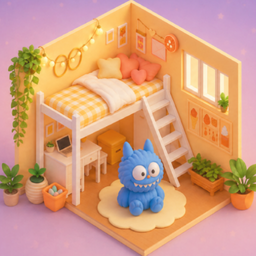
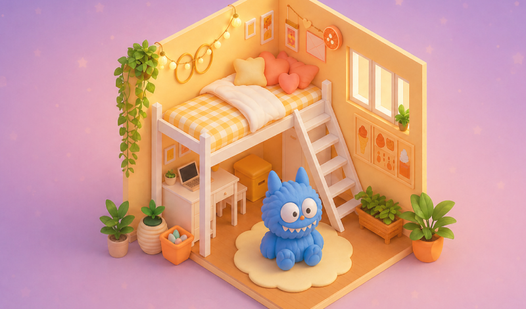
- Room Makeover Logic: You aren't just placing items. You have to clear space first to make the expensive furniture actually fit the floor plan.
- Star Economy: Every completed task feeds your budget. You need these stars to unlock the cool wallpaper and the better lamps.
- Daily Grind: The game shifts your goals every twenty-four hours. It keeps your interior design skills from getting stale.
- Visual Jank: The 3D models look sharp, but the camera can get stuck on corners. It happens when you try to rotate items too close to the wall.
How to Play
How to handle My New Room 3D clutter
Your first job is clearing the trash. Click the boxes to pop them open and drag the old furniture into the void. Use your mouse for My New Room 3D controls to snap items into place. Don't worry if your first layout looks like a dumpster fire; you have to earn stars to buy the good stuff.
Mastering My New Room 3D tasks
To learn how to play My New Room 3D, just look at the order requests on the side. You need to match those specific items or you won't get your stars. A common mistake is clicking too fast and misplacing a chair, which forces you to reset the entire piece. Slow down a bit.
Who Should Play My New Room 3D?
Frequently Asked Questions about My New Room 3D
Can I play My New Room 3D on my phone?
Yes, it works on mobile devices as well as your desktop computer. You just tap the screen to drag and rotate your furniture instead of clicking.
What are the controls for My New Room 3D?
You use your mouse or finger to select items from your inventory. Simply drag them into the room and rotate them until they look right.
Is My New Room 3D free to play?
Yes, My New Room 3D is completely free to play on Nub Games. There are no in-app purchases. No download or registration required.
Can I play My New Room 3D on mobile?
My New Room 3D works on both desktop and mobile devices. Best played in none mode.
What age rating is My New Room 3D?
My New Room 3D has a content rating of 6++. It is suitable for all ages.