











Key Features
- Custom Soundscapes: Swap instruments to change the vibe of your melody. Each note you place alters the sound, making every track feel yours.
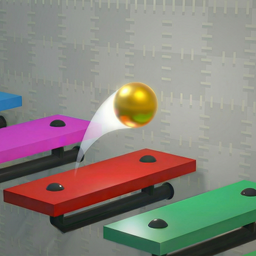
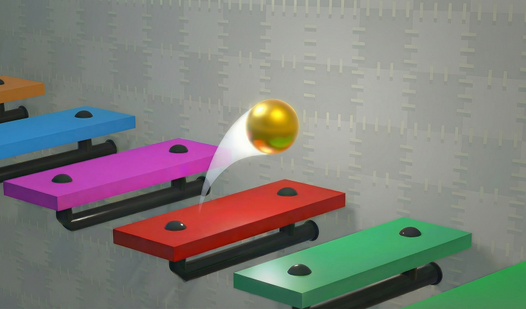
- Physics Bounciness: The ball follows real momentum. You need to account for the arc of each jump or your song hits a wall.
- Visual Customization: Unlock new backgrounds and ball skins by earning points. It makes the screen look less repetitive when you're grinding out levels.
- Tempo Control: Speed it up or slow it down. This changes the feel of your composition entirely.
How to Play
Musical Ball: create your own melody: getting started
Use your mouse to place platforms anywhere on the wall. To learn how to play Musical Ball: create your own melody, just click the start button to see if your layout works. Musical Ball: create your own melody controls are straightforward: left-click to place or move items. Just don't expect the ball to defy gravity.
Advanced tactics for Musical Ball: create your own melody
The game won't let you place a note above the one before it. This restriction is an absolute nightmare when you're trying to build a complex arpeggio. Use the bottom-left menu to adjust the tempo or swap instruments. If you mess up the rhythm, delete the platform and try again.
Who Should Play Musical Ball: create your own melody?
Frequently Asked Questions about Musical Ball: create your own melody
Can I play Musical Ball: create your own melody on my phone?
Yes, it works on mobile browsers. Just be aware that tapping tiny note-platforms can feel imprecise compared to using a desktop mouse.
How do you earn points in Musical Ball: create your own melody?
You earn points by completing the mini-game challenges hidden in the top left corner. Spend these points to unlock new instruments and backgrounds for your creations.
Is Musical Ball: create your own melody free to play?
Yes, Musical Ball: create your own melody is completely free to play on Nub Games. There are no in-app purchases. No download or registration required.
Can I play Musical Ball: create your own melody on mobile?
Musical Ball: create your own melody works on both desktop and mobile devices. Best played in landscape mode.
What age rating is Musical Ball: create your own melody?
The catalog age rating for Musical Ball: create your own melody is 6+.