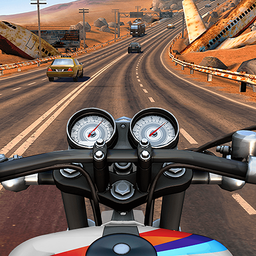
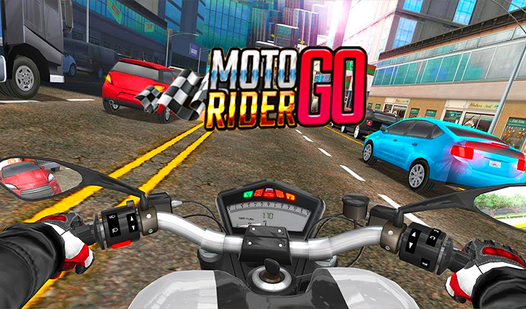












Key Features
- Tight handling: The bike responds instantly to your inputs. You can commit to a risky gap and pull it off with just a frame to spare.
- Traffic chaos: Cars switch lanes to block your path. It forces you to watch the taillights rather than just staring at the road ahead.
- Speed blur: The screen stretches as you hit top gear. It makes every near-miss feel much faster than it actually is on screen.
- Upgrade paths: Spend your winnings on a faster engine. You need the extra acceleration to survive the later highway segments.
How to Play
Moto Rider GO: Mastering the throttle
Use the arrow keys or tap the sides of your screen to steer. These Moto Rider GO controls are sensitive, so don't yank the wheel unless you want to kiss a guardrail. Learning how to play Moto Rider GO means finding the rhythm of the lane shifts before you panic.
Moto Rider GO: Avoiding lane collisions
The biggest mistake is trying to squeeze between two cars when they are too close together. You’ll clip a mirror and wipe out every time. Instead, focus on the gaps between trucks. The later levels are kind of unfair with how fast the traffic moves, so keep your distance.
Who Should Play Moto Rider GO?
Frequently Asked Questions about Moto Rider GO
Can I play Moto Rider GO on my phone?
Yes, it works on mobile browsers without any extra apps. Just tap the screen to steer your bike and dodge the incoming traffic on the go.
What are the controls for Moto Rider GO?
You use the left and right arrow keys on a keyboard to change lanes. If you are on a phone, tapping the left or right side of your screen handles the steering.
Is Moto Rider GO free to play?
Yes, Moto Rider GO is completely free to play on Nub Games. There are no in-app purchases. No download or registration required.
Can I play Moto Rider GO on mobile?
Moto Rider GO works on both desktop and mobile devices. Best played in landscape mode.
What age rating is Moto Rider GO?
The catalog age rating for Moto Rider GO is 6+.