








Key Features
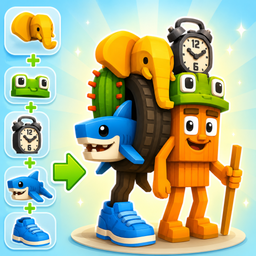
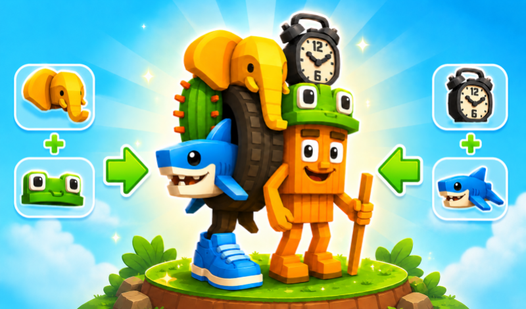
- Living Creations: Your monsters don't just sit there. They actually animate and dance once you finish the build, which is a nice touch.
- Limitless Swaps: There are tons of body parts to cycle through. You will spend way too long finding the perfect head for those stubby legs.
- 3D Visuals: The models pop out nicely. It feels like a digital toy box.
- Quick Sessions: It is a desktop browser game. You can quit whenever you want without losing progress.
How to Play
Mix Monsters 3D: Mastering the UI
Understanding the Mix Monsters 3D controls is straightforward. Just tap on the body parts you want to swap. You select the head, body, or legs using the arrows on the screen. Don't click too fast, though. The interface gets a bit jumpy if you spam the buttons.
How to play Mix Monsters 3D effectively
The goal is to assemble something that looks halfway decent or absolutely cursed. Take your time cycling through the options. Once you finish your creation, it starts moving on its own. That is the best part. You can always hit reset if your monster ends up looking like a complete disaster.
Who Should Play Mix Monsters 3D?
Frequently Asked Questions about Mix Monsters 3D
Can I play Mix Monsters 3D on my phone?
Yes, it works fine on mobile browsers. Just open the page and start tapping to build your creatures without needing an app store install.
How do you save a monster in Mix Monsters 3D?
There is no formal save feature for your creations. Once you refresh the page or leave, your monster vanishes, so take a screenshot if you really love it.
Is Mix Monsters 3D free to play?
Yes, Mix Monsters 3D is completely free to play on Nub Games. There are no in-app purchases. No download or registration required.
Can I play Mix Monsters 3D on mobile?
Mix Monsters 3D works on both desktop and mobile devices. Best played in portrait mode.
What age rating is Mix Monsters 3D?
Mix Monsters 3D has a content rating of 6++. It is suitable for all ages.