











Key Features
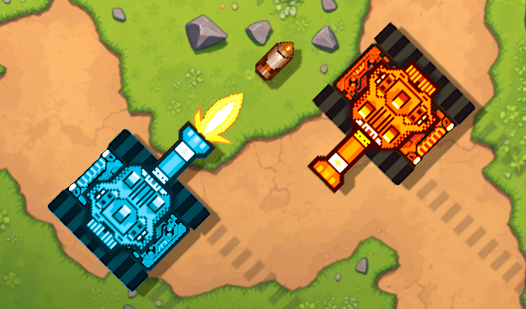
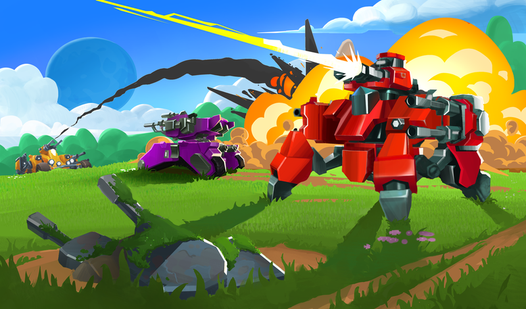
- Customizable War Machines: Swap out modules and heavy cannons to change your playstyle. You can turn your bot into a glass cannon or a tanky brawler.
- Loot-Driven Progression: Hunt down treasure chests on the map. They hold the parts you need to upgrade.
- Automatic Combat Logic: Your bot locks onto targets automatically. It keeps the flow fast.
- Rough Hitbox Physics: Sometimes the collision detection feels a bit janky. You might clip into walls.
How to Play
Mecha controls: Move to survive
Use WASD to dodge incoming plasma fire. Stay mobile because standing still is a death sentence. Learning how to play Mecha requires you to master these movement patterns early. A common mistake is stopping to admire your own shots while the enemy is lining up a massive counter-attack against your armor.
Powering up your Mecha
Grab those blue tokens for skill boosts and attribute spikes. You need these to survive the later waves. The Mecha controls are simple, but timing your skill activation is where the real depth hides. If you waste your cooldowns on weak fodder, you will get dismantled by the first boss you encounter.
Who Should Play Mecha?
Frequently Asked Questions about Mecha
How do you upgrade your bot in Mecha?
Collect blue tokens during your matches to boost your stats. You can also open treasure chests found on the battlefield to equip new weapon parts.
Can I play Mecha on my phone?
Yes, it works on mobile browsers. The touch controls are surprisingly responsive, though a mouse makes aiming your artillery much easier during high-intensity fights.
Is Mecha free to play?
Yes, Mecha is completely free to play on Nub Games. Optional in-app purchases are available. No download or registration required.
Can I play Mecha on mobile?
Mecha works on both desktop and mobile devices. Best played in landscape mode.
What age rating is Mecha?
The catalog age rating for Mecha is 12+.