







Key Features
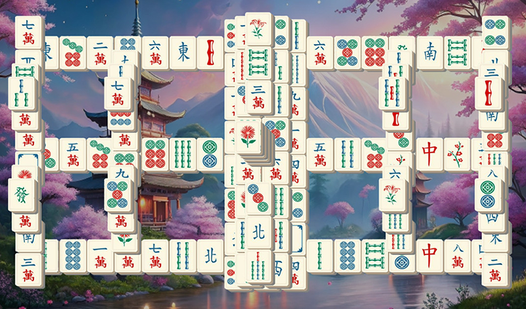
- Flexible grid: Scale the board size to fit your screen. Panning around helps you spot hidden matches buried in the corners.
- Custom tiles: Swap the tile sets if the symbols start looking like a blur. A fresh look keeps your eyes sharp.
- Strategic shuffles: The shuffle button saves your run when you hit a dead end. Use it wisely, as it might rearrange everything.
- Adjustable zoom: Zoom in to see intricate patterns or out to view the entire layout. It prevents accidental misclicks.
How to Play
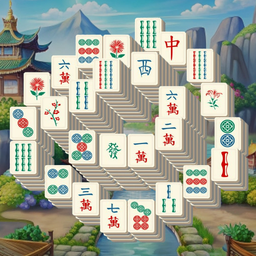
Mastering the Mahjong Solitaire Master board
To clear tiles, tap or click two identical ones that have at least one open side. The Mahjong Solitaire Master controls are simple, but don't rush. If you click blindly, you might block your only path to success. Slow down and scan the edges first.
Using tools in Mahjong Solitaire Master
When you hit a wall, use the hint button to find a match. If the field still feels impossible, trigger a shuffle to reset the layout. Learning how to play Mahjong Solitaire Master involves knowing exactly when to burn these limited resources before you run out of moves.
Who Should Play Mahjong Solitaire Master?
Frequently Asked Questions about Mahjong Solitaire Master
How do you zoom in Mahjong Solitaire Master?
Use the PLUS and MINUS keys on your keyboard to enlarge or reduce the tile size. It makes hitting those tiny, cramped tiles much easier.
Can I play Mahjong Solitaire Master on my phone?
Yes, it works on mobile browsers. Just tap the tiles instead of clicking, though the smaller screen makes precise selection a bit tricky.
Is Mahjong Solitaire Master free to play?
Yes, Mahjong Solitaire Master is completely free to play on Nub Games. There are no in-app purchases. No download or registration required.
Can I play Mahjong Solitaire Master on mobile?
Mahjong Solitaire Master works on both desktop and mobile devices. Best played in landscape mode.
What age rating is Mahjong Solitaire Master?
The catalog age rating for Mahjong Solitaire Master is 0+.