










Key Features
- Grid Management: The board fills up faster than you expect. You have to balance clearing lines with keeping the center open.
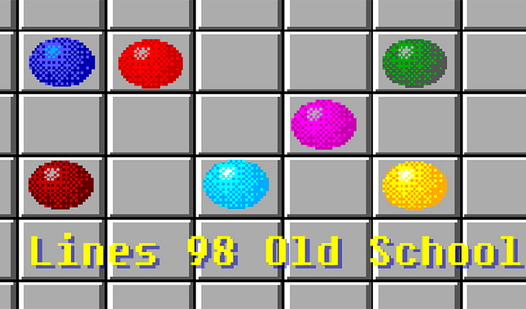
- Color Preview: The game shows you which colors are coming next. Use this to plan your moves three steps ahead.
- Pathfinding Logic: Your ball won't move if blocked by others. You have to navigate around your own mess.
- Retro Aesthetic: It looks just like the nineties desktop software. It brings back memories of office procrastination.
How to Play
Lines 98 Old School: The Basic Setup
To learn how to play Lines 98 Old School, you must master the grid. Click a ball to select it, then click an empty tile to move it there. You can only move if there is a clear path of tiles. Lines 98 Old School controls are straightforward but unforgiving.
Lines 98 Old School: Scoring Big
You need to line up five balls of the same color horizontally, vertically, or diagonally. Once you do, they disappear and you earn points. A common mistake is ignoring the preview balls that appear after every move. These little guys will ruin your best-laid plans if you do not track them constantly.
Who Should Play Lines 98 Old School?
Frequently Asked Questions about Lines 98 Old School
How do you move balls in Lines 98 Old School?
You select a ball with a mouse click or tap, then select the destination tile. Remember that your path must be completely clear of other balls to move.
Can I play Lines 98 Old School on my phone?
Yes, it works on mobile browsers just as well as desktop. The touch controls are responsive, though the screen space gets tight once the board fills up.
Is Lines 98 Old School free to play?
Yes, Lines 98 Old School is completely free to play on Nub Games. There are no in-app purchases. No download or registration required.
Can I play Lines 98 Old School on mobile?
Lines 98 Old School works on both desktop and mobile devices. Best played in landscape mode.
What age rating is Lines 98 Old School?
The catalog age rating for Lines 98 Old School is 0+.