




Key Features
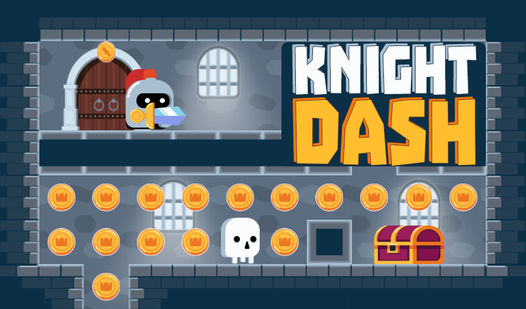
- Sliding Momentum: Movement doesn't stop until you smack into a wall. You have to plan every single slide carefully.
- Trapped Chests: Chests hold the keys you need for the exit. Some are guarded by pathing hazards that require perfect timing.
- Tight Mazes: The levels start wide but quickly shrink. You will find yourself trapped in tiny corridors before you know it.
- Visual Clarity: The clean look helps you spot traps. It keeps the focus on your pathing rather than cluttered background art.
How to Play
Mastering Knight Dash movement
To learn how to play Knight Dash, just use your mouse or finger to swipe in the direction you want to move. Your knight slides until they hit a wall. Timing is everything here because if you mess up your path, you might get stuck behind a locked gate forever.
Knight Dash controls and strategy
The Knight Dash controls are responsive, but don't get greedy. A common mistake is swiping too fast, which sends you careening into a trap before you even see it coming. Stop and look at the maze layout. You need those keys to open doors and survive the later, more cramped stages.
Who Should Play Knight Dash?
Frequently Asked Questions about Knight Dash
Can I play Knight Dash on my phone?
Yes, you can play it on any mobile device with a browser. The swipe mechanics actually feel better on a touchscreen than they do with a mouse.
How do you open chests in Knight Dash?
You just need to slide your character directly into the chest icon. Once you touch it, the chest pops open and drops the key you need to finish the level.
Is Knight Dash free to play?
Yes, Knight Dash is completely free to play on Nub Games. There are no in-app purchases. No download or registration required.
Can I play Knight Dash on mobile?
Knight Dash works on both desktop and mobile devices. Best played in portrait mode.
What age rating is Knight Dash?
The catalog age rating for Knight Dash is 0+.