Key Features
- Massive collection:
- Tracking progress:
- Global ranking:
- Visual clarity:
How to Play
Mastering Jigsaw puzzles for kids: cars mechanics
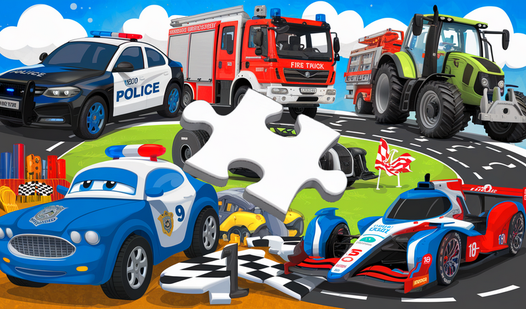
To start, use the Jigsaw puzzles for kids: cars controls by clicking or tapping a piece to drag it into position. You need to align the jagged edges to lock them in place. A common mistake is trying to force a piece that clearly does not belong.
How to play Jigsaw puzzles for kids: cars effectively
Focus on the border pieces first to define your workspace. Once you know how to play Jigsaw puzzles for kids: cars, the process becomes much smoother. The interface is clean, but the hitboxes for the edges can feel a bit finicky at times when you are rushing to beat your personal time.
Who Should Play Jigsaw puzzles for kids: cars?
Frequently Asked Questions about Jigsaw puzzles for kids: cars
Can I play Jigsaw puzzles for kids: cars on my phone?
Yes, it works perfectly on mobile devices. Just tap the screen to grab the pieces and drag them to their matching spots.
What are the controls for Jigsaw puzzles for kids: cars?
On a computer, use your left-click to pick up and dock pieces. If you are on a phone, use your finger to tap and drag the pieces.
Is Jigsaw puzzles for kids: cars free to play?
Yes, Jigsaw puzzles for kids: cars is completely free to play on Nub Games. There are no in-app purchases. No download or registration required.
Can I play Jigsaw puzzles for kids: cars on mobile?
Jigsaw puzzles for kids: cars works on both desktop and mobile devices. Best played in landscape mode.
What age rating is Jigsaw puzzles for kids: cars?
The catalog age rating for Jigsaw puzzles for kids: cars is 0+.