








Key Features
- Smart Snap: Tiles lock into place with a satisfying click. It stops you from guessing where pieces fit.
- Growing Library: New photos keep popping up. You never run out of stuff to look at.
- Group Movement: Move whole chunks of the image around. It saves your wrists from endless dragging.
- Visual Clarity: The high-res images look sharp. You can actually see the texture of the objects.
How to Play
How to play Jigmerge Puzzles
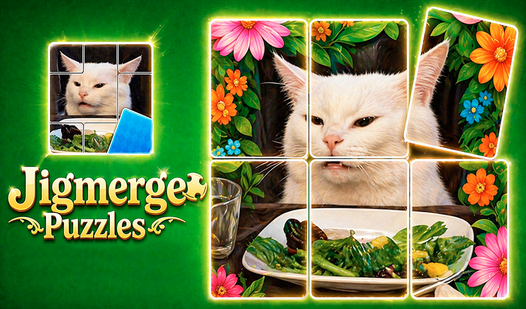
Use your mouse or touchscreen to drag fragments across the screen. Jigmerge Puzzles controls rely on simplicity, but don't let that fool you. If two pieces match, they snap together instantly. One common mistake is trying to force pieces that don't belong together; you'll just end up with a messy, disconnected cluster.
Jigmerge Puzzles: Managing your workspace
Once you link a few pieces, drag the whole group at once to clear space. It makes sorting the remaining chaos much easier. The later levels get cramped, so keep your play area tidy. If you lose track of the edges, you're going to have a bad time.
Who Should Play Jigmerge Puzzles?
Frequently Asked Questions about Jigmerge Puzzles
Can I play Jigmerge Puzzles on my phone?
Yes, it works on mobile devices just fine. The touch controls are actually more responsive than using a mouse for some of the smaller, fiddly pieces.
How do you rotate pieces in Jigmerge Puzzles?
You actually cannot rotate them at all. The game expects you to analyze the orientation before you drag, which adds a bit of challenge to the later, busier levels.
Is Jigmerge Puzzles free to play?
Yes, Jigmerge Puzzles is completely free to play on Nub Games. Optional in-app purchases are available. No download or registration required.
Can I play Jigmerge Puzzles on mobile?
Jigmerge Puzzles works on both desktop and mobile devices. Best played in portrait mode.
What age rating is Jigmerge Puzzles?
Jigmerge Puzzles has a content rating of 6++. It is suitable for all ages.