Key Features
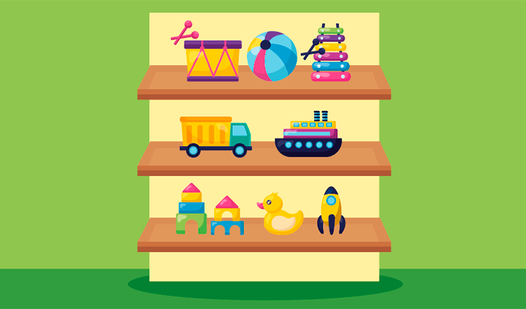
- Grid Logic: The board forces you to think three moves ahead. One wrong placement blocks your path to the finish.
- Visual Clutter: The screen gets crowded quickly. You need sharp eyes to spot the tiny mismatches hiding in plain sight.
- Shelf Physics: Items slide into place with a snap. It feels satisfying when the board clears itself.
- Rising Chaos: Later stages dump ridiculous amounts of trash on the shelves. You will struggle to find space.
How to Play
Items on the shelves: The basic flow
Use your mouse or tap the screen to grab objects and shift them into position. Learning how to play Items on the shelves is simple, but don't let that fool you. You must group similar goods to trigger a clear. Keep an eye on empty spots.
Mastering Items on the shelves controls
The Items on the shelves controls are responsive, though clicking small targets can get finicky when the board is packed. A common mistake is rushing your placement without checking the grid alignment first. If you misplace an item, the whole row stays stuck. Take a breath and focus.
Who Should Play Items on the shelves?
Frequently Asked Questions about Items on the shelves
Can I play Items on the shelves on my phone?
Yes, the game runs perfectly on mobile browsers. You just tap and drag to move the objects around the screen.
What are the controls for Items on the shelves?
You use a single click or tap to select an object. Drag it to a new location on the shelf to finalize its position.
Is Items on the shelves free to play?
Yes, Items on the shelves is completely free to play on Nub Games. There are no in-app purchases. No download or registration required.
Can I play Items on the shelves on mobile?
Items on the shelves works on both desktop and mobile devices. Best played in landscape mode.
What age rating is Items on the shelves?
Items on the shelves has a content rating of 6++. It is suitable for all ages.