










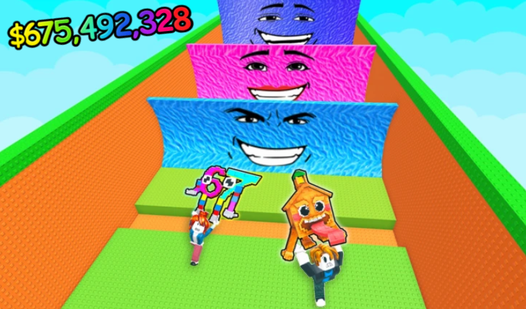
Key Features
- One-touch chaos: The entire movement relies on holding or releasing. It feels frantic when the gaps get smaller near the top.
- Brutal hitboxes: The fruits have unforgiving edges. One pixel of contact means you start over immediately.
- Vibrant palette: The bright colors look great, though they make it harder to focus when the screen gets busy.
- Global leaderboards: See how your best run stacks up against total strangers. It is a hardcore way to track your progress.
How to Play
Fruit Fingers: The basics of movement
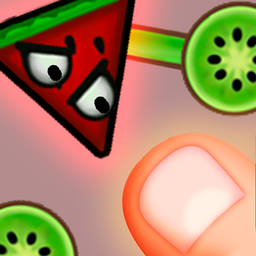
To learn how to play Fruit Fingers, keep your finger pressed down to hover upward. Release the screen to drop. The Fruit Fingers controls feel a bit floaty at first, so you need to anticipate the gravity shift. Don't panic when you see the spinning blades of fruit coming for your digit.
Fruit Fingers: Surviving the rotation
Your goal is to weave between the gaps of the rotating obstacles without grazing a single edge. A common mistake is moving too early; wait for the rotation to align before you commit to a gap. If you tap too rapidly, you will definitely smash into a lime and lose instantly.
Who Should Play Fruit Fingers?
Frequently Asked Questions about Fruit Fingers
Can I play Fruit Fingers on my phone?
Yes, it works perfectly on mobile browsers. Since the game only requires one finger to operate, it is actually easier to play on a touchscreen than with a mouse.
What are the controls for Fruit Fingers?
You just need to hold your finger on the screen to ascend. Let go to descend. It is a simple control scheme that keeps your focus entirely on the obstacles.
Is Fruit Fingers free to play?
Yes, Fruit Fingers is completely free to play on Nub Games. There are no in-app purchases. No download or registration required.
Can I play Fruit Fingers on mobile?
Fruit Fingers works on both desktop and mobile devices. Best played in portrait mode.
What age rating is Fruit Fingers?
Fruit Fingers has a content rating of 6++. It is suitable for all ages.