









Key Features
- Unpredictable momentum: Gravity hits different here. Every jump carries weight, so one wrong tap sends your blade sliding off the couch onto the floor.
- Tight landings: The hitboxes are unforgiving. You must land perfectly on the edge to stay upright.
- Room variety: Environments shift constantly. You'll move from kitchens to living rooms.
- Awkward camera: The perspective shift can be jarring. It makes judging depth a total guessing game.
How to Play
Mastering Flip Dagger physics
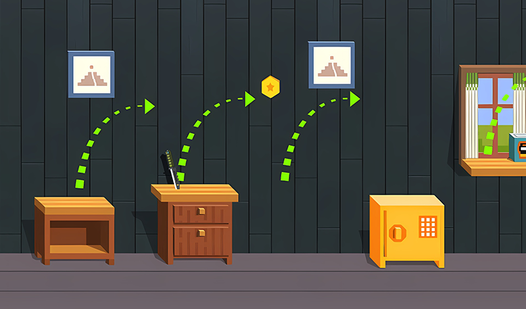
Your goal is to clear every room, jumping from furniture to shelves without dropping the knife. Use the Flip Dagger controls by tapping your screen or clicking the mouse to initiate a jump. Timing matters. You have to account for the rotation speed, because your blade doesn't just go up and down.
How to play Flip Dagger better
Don't rush your taps. Beginners often spam clicks, which makes the blade spin out of control. Slow down before gaps. You'll overshoot everything at first if you don't gauge the distance. Once you understand how to play Flip Dagger with rhythm, the later, more cramped levels become much less of a headache.
Who Should Play Flip Dagger?
Frequently Asked Questions about Flip Dagger
Can I play Flip Dagger on my phone?
Yes, it works perfectly on mobile devices. You just tap the screen to control your jumps, making it a solid way to kill time while you're waiting for the bus.
What are the controls for Flip Dagger?
Flip Dagger controls are simple. Just click your mouse or tap your screen once to make the blade flip and jump forward, then repeat to clear the next obstacle.
Is Flip Dagger free to play?
Yes, Flip Dagger is completely free to play on Nub Games. There are no in-app purchases. No download or registration required.
Can I play Flip Dagger on mobile?
Flip Dagger works on both desktop and mobile devices. Best played in portrait mode.
What age rating is Flip Dagger?
Flip Dagger has a content rating of 6++. It is suitable for all ages.