







Key Features
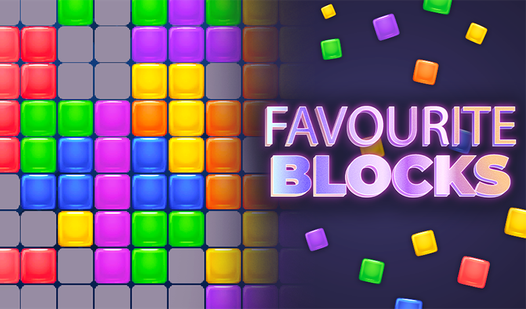
- Grid spatial awareness: The shapes demand you think three moves ahead. One bad placement ruins your entire row setup.
- Adaptive board speed: The difficulty spikes when you have no room left. It creates a frantic, high-stakes energy.
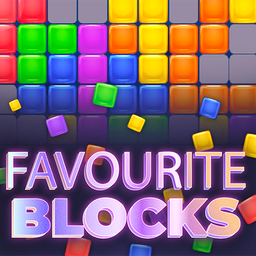
- Minimalist visual style: Bright colors make it easy to spot your next move. No clutter to distract you.
- Touchscreen responsiveness: Dragging blocks feels snappy on mobile. The input lag is nonexistent.
How to Play
Mastering the Favourite Blocks grid
To play, just drag and drop the shapes from the sidebar onto the board. You need to fill entire horizontal or vertical lines to make them vanish. Use the mouse or your touchscreen for Favourite Blocks controls. Don't crowd the center too early or you will run out of space fast.
How to play Favourite Blocks efficiently
Focus on clearing rows one by one to keep the board open. If you leave single-cell gaps, you will regret it when a massive L-shape pops up. The game gets chaotic once the board fills, so plan your moves ahead. Keep your cool and watch for those hidden combos.
Who Should Play Favourite Blocks?
Frequently Asked Questions about Favourite Blocks
Can I play Favourite Blocks on my phone?
Yes, it works on mobile browsers just as well as desktop. You can tap and drag the blocks with your fingers without any jank.
What is the best way to clear rows in Favourite Blocks?
Prioritize clearing the outer edges first to keep the center of the board open. This prevents you from getting stuck with nowhere to put your large, awkward pieces.
Is Favourite Blocks free to play?
Yes, Favourite Blocks is completely free to play on Nub Games. There are no in-app purchases. No download or registration required.
Can I play Favourite Blocks on mobile?
Favourite Blocks works on both desktop and mobile devices. Best played in portrait mode.
What age rating is Favourite Blocks?
The catalog age rating for Favourite Blocks is 0+.