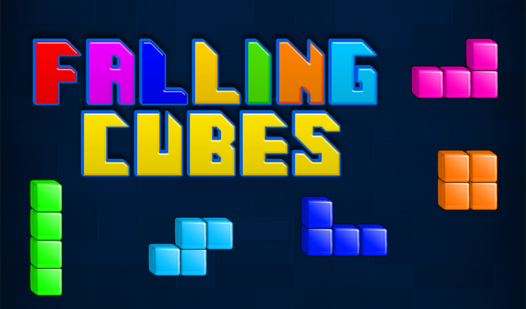












Key Features
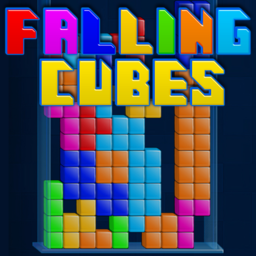
- **Classic Gravity**: Pieces fall with predictable weight. You learn exactly when to shift them before they lock into the grid.
- **Combo Scoring**: Sending four lines away at once gives you massive points. It turns a messy board into a clean slate.
- **Grid Visibility**: The clean lines help you spot your mistakes early. You will see those accidental gaps from a mile away.
- **Slippery Rotations**: Sometimes the rotation feels a bit stiff when you are near the walls. It creates some tense moments.
How to Play
Mastering Falling Cubes controls
Use the arrow keys to shift pieces left or right. Tap up to rotate them until they fit your gaps. Learning how to play Falling Cubes requires keeping your eyes on the next piece while managing the pile you already have. Watch your spacing; it is easy to leave tiny holes that haunt you later.
Falling Cubes: Speed and survival
Hit the down arrow to drop blocks faster if you are feeling bold. Clearing multiple lines at once nets you a higher score, but stacking high is dangerous. A common mistake is waiting too long to rotate a piece, which traps you. The game gets chaotic once the blocks pick up serious speed.
Who Should Play Falling Cubes?
Frequently Asked Questions about Falling Cubes
How do you rotate pieces in Falling Cubes?
Just tap the up arrow key to spin your active piece. Use this to align your blocks before they hit the floor, or you will end up with a messy, unmanageable board.
Can I play Falling Cubes on my phone?
Yes, it works on mobile browsers. You can take your high score run on the go without needing a bulky app or any specific hardware to run the code.
Is Falling Cubes free to play?
Yes, Falling Cubes is completely free to play on Nub Games. There are no in-app purchases. No download or registration required.
Can I play Falling Cubes on mobile?
Falling Cubes works on both desktop and mobile devices. Best played in portrait mode.
What age rating is Falling Cubes?
The catalog age rating for Falling Cubes is 6+.