






Key Features
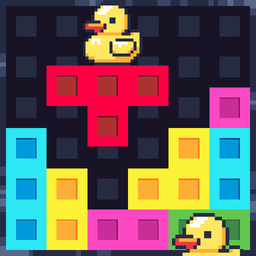
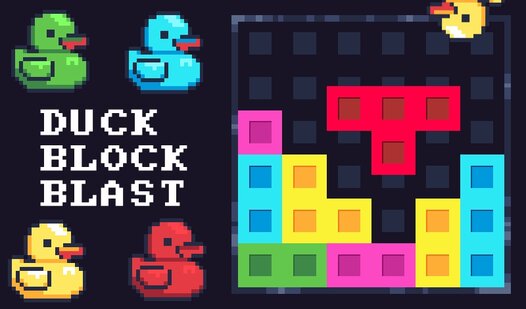
- Duck Collection: Ducks pop up whenever you clear enough space. They replace boring tiles and make the board look way better.
- Grid Freedom: There is no clock ticking down your life. Take as long as you want to figure out the best move.
- Booster Utility: When the board is a total wreck, boosters save your run. They wipe sections clean so you keep going.
- Visual Clarity: The colors are bright. It helps you see your mistakes quickly, even if the UI feels slightly cramped.
How to Play
Duck Block Blast: The Basics
Dragging shapes onto the grid is simple enough. You just click and hold to move a tile, then release to lock it into place. Duck Block Blast controls are touch-friendly, so dragging works perfectly on mobile devices too. Fill rows, columns, or those 3x3 squares to clear them.
Mastering Duck Block Blast strategy
Learn how to play Duck Block Blast by prioritizing the edges. Filling the center too early is a common mistake that leaves you with nowhere to put your largest pieces. If the board gets too crowded, use your boosters to clear space or swap out clunky shapes that don't fit.
Who Should Play Duck Block Blast?
Frequently Asked Questions about Duck Block Blast
Can I play Duck Block Blast on my phone?
Yes, it works on any mobile browser. You do not need an app, just open the page and start dragging your pieces around.
How do you get more ducks in Duck Block Blast?
Ducks appear automatically as your score climbs. You just have to keep clearing lines and squares to keep the board open for more ducks to spawn.
Is Duck Block Blast free to play?
Yes, Duck Block Blast is completely free to play on Nub Games. There are no in-app purchases. No download or registration required.
Can I play Duck Block Blast on mobile?
Duck Block Blast works on both desktop and mobile devices. Best played in portrait mode.
What age rating is Duck Block Blast?
Duck Block Blast has a content rating of 0++. It is suitable for all ages.