




Key Features
- Urban Playground: The city is huge and lacks invisible walls. You can find your own lines across highways.
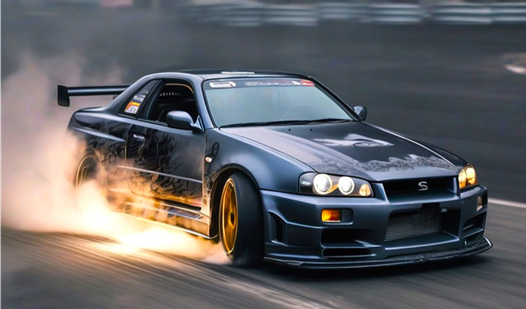
- Deep Customization: Swap out wheels and body paint. Your car actually looks different while you drift.
- Physics Feedback: The weight transfer feels heavy. It rewards you for managing your momentum through tight turns.
- Scoring System: Chain maneuvers for high scores. The game tracks your style and technique as you go.
How to Play
Mastering Drift on SKYLINE controls
Use WASD or arrow keys to steer and accelerate. Getting the hang of the Drift on SKYLINE controls is the first hurdle because the handling feels a bit floaty until you learn to counter-steer. Don’t slam the gas mid-corner or you'll just spin out into a wall every single time.
How to play Drift on SKYLINE effectively
To learn how to play Drift on SKYLINE, focus on maintaining momentum through the industrial zones. A common mistake is braking too early; let the car swing wide instead. You need to keep the speed high to chain drift points together. Once you get the rhythm, the whole city becomes your track.
Who Should Play Drift on SKYLINE?
Frequently Asked Questions about Drift on SKYLINE
Can I play Drift on SKYLINE on my phone?
Yes, it works on mobile devices. You just tap the screen to control the car, though it is slightly harder to drift than on a desktop keyboard.
How do you earn points in Drift on SKYLINE?
You earn points by keeping your car sideways through corners. The longer you sustain the drift without hitting a curb, the higher your score multiplier climbs.
Is Drift on SKYLINE free to play?
Yes, Drift on SKYLINE is completely free to play on Nub Games. There are no in-app purchases. No download or registration required.
Can I play Drift on SKYLINE on mobile?
Drift on SKYLINE works on both desktop and mobile devices. Best played in landscape mode.
What age rating is Drift on SKYLINE?
Drift on SKYLINE has a content rating of 6++. It is suitable for all ages.