









Key Features
- Neon Aesthetics:
- Global Leaderboards:
- Difficulty Scaling:
- Mobile Readiness:
How to Play
Cyber Mines: The Basics
Left-click to reveal cells and hope you don't hit a live wire. Numbers tell you how many mines are lurking nearby. Use your head to clear the board, but watch out. The Cyber Mines controls feel a bit twitchy on touchscreens, so don't tap too aggressively or you'll trigger a game over.
How to play Cyber Mines carefully
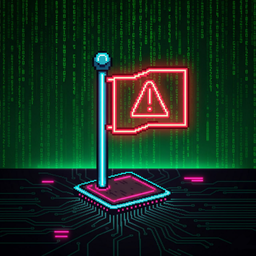
When you spot a mine, right-click to drop a flag. This marks the spot so you don't accidentally click it later. A common mistake is rushing through the center of the grid. Slow down. Once you master the logic, you can tackle the higher difficulty tiers that are absolute nightmares.
Who Should Play Cyber Mines?
Frequently Asked Questions about Cyber Mines
How do you flag a mine in Cyber Mines?
Right-click on a desktop computer to place a flag. On mobile devices, use a long tap to mark the suspicious squares without opening them.
Can I play Cyber Mines on my phone?
Yes, it works fine on mobile browsers. The touch controls are responsive enough for most grids, though tiny screens can be annoying.
What games are similar to Cyber Mines?
If you like grid-based logic, check out Super PuzzleCraft for building or Obby: IQ Escape from the Laboratory for a different kind of brain test.
Is Cyber Mines free to play?
Yes, Cyber Mines is completely free to play on Nub Games. There are no in-app purchases. No download or registration required.
Can I play Cyber Mines on mobile?
Cyber Mines works on both desktop and mobile devices. Best played in landscape mode.
What age rating is Cyber Mines?
Cyber Mines has a content rating of 6++. It is suitable for all ages.