




Key Features
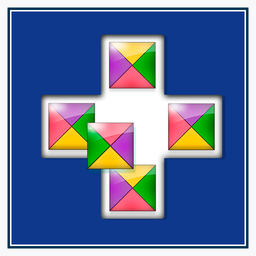
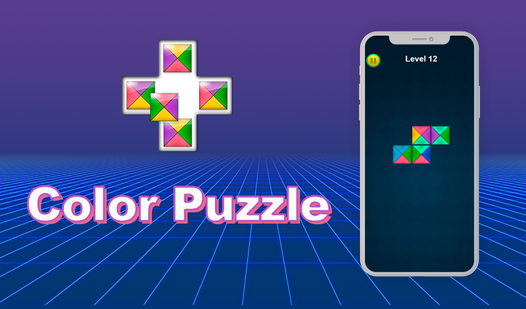
- Strict Geometry: Every block demands specific neighbors. One mismatch ruins the entire row, forcing you to rethink your placement.
- Clean Interface: The board stays out of your way. Visual clutter is non-existent, letting you focus on the patterns.
- Logic Scaling: Levels grow in size. The grid expands, turning simple color matching into a complex web of dependencies.
- Minimalist Design: No distractions. Just colors and slots.
How to Play
How to play Color Puzzle basics
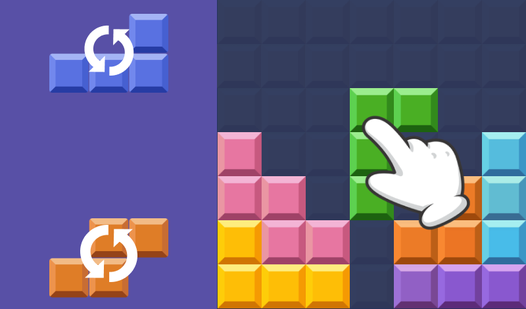
Use your mouse or tap to drag each block into the empty slots. The Color Puzzle controls are simple, but you need to align every edge so the colors match your neighbors. If you mess up, just drag the piece back out and try again. Don't rush; the borders are unforgiving.
Mastering the Color Puzzle board
Look for the corners first to narrow down your options. Many players try to solve the center before the frame, which is a common mistake that leads to unnecessary backtracking. Once you learn how to play Color Puzzle with this strategy, the later levels become much less of a headache.
Who Should Play Color Puzzle?
Frequently Asked Questions about Color Puzzle
Can I play Color Puzzle on my phone?
Yes, you can play this on mobile devices directly in your browser. The touch controls are responsive enough for most screens, though tiny devices might make the pieces feel cramped.
What are the common controls for Color Puzzle?
You use your finger or mouse to click and drag blocks into place. There are no complex keybindings, so you can focus entirely on the logic of the board.
Is Color Puzzle free to play?
Yes, Color Puzzle is completely free to play on Nub Games. There are no in-app purchases. No download or registration required.
Can I play Color Puzzle on mobile?
Color Puzzle works on both desktop and mobile devices. Best played in portrait mode.
What age rating is Color Puzzle?
The catalog age rating for Color Puzzle is 0+.