Key Features
- Pixel-perfect feedback: The game gives you a precise percentage score. You see exactly how far off your guess was every single time.
- Subtle shift hell: The difficulty spikes when the game picks nearly identical shades. You will struggle to tell them apart.
- Track your progress: Your scores stay on the leaderboard. Compare your visual accuracy against other players to see where you rank.
- Lightweight engine: It runs fast on any screen. You won't deal with lag or stuttering while trying to nail a landing.
How to Play
Color memory: Mastering the target
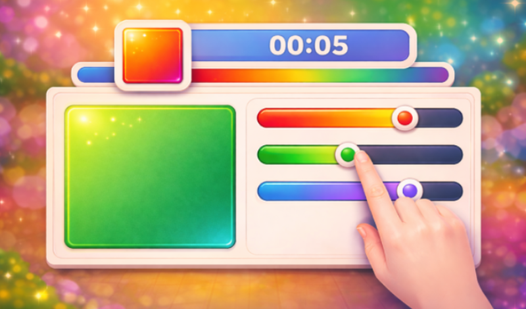
Memorize the swatch shown before it vanishes. You use your mouse or tap the screen to adjust the sliders until the output matches your memory. Color memory controls are simple, but don't move too fast. A common mistake is rushing the first slider; take a second to breathe before sliding.
How to play Color memory properly
Once you think the colors match, lock it in. The game calculates the delta between your choice and the original. You learn how to play Color memory by failing; pay attention to which RGB channel you usually mess up. Later rounds introduce subtle shifts that make standard primary colors feel like a nightmare.
Who Should Play Color memory?
Frequently Asked Questions about Color memory
Can I play Color memory on my phone?
Yes, it works fine on mobile browsers. You just tap the screen to shift the colors and confirm your guess.
How do you improve your score in Color memory?
Focus on one color channel at a time instead of moving all sliders randomly. You will notice patterns in how the game generates shades the more you practice.
Is Color memory free to play?
Yes, Color memory is completely free to play on Nub Games. Optional in-app purchases are available. No download or registration required.
Can I play Color memory on mobile?
Color memory works on both desktop and mobile devices. Best played in portrait mode.
What age rating is Color memory?
Color memory has a content rating of 6++. It is suitable for all ages.