











Key Features
- Grid management: Every placement limits your future options. You have to anticipate where pieces fit before the 10x10 space becomes a total nightmare.
- Color combos: Connect three of the same color to wipe them off the board. It clears up space for your next move.
- Geometric pressure: The shapes get weirder as you score higher. It forces you to rethink your placement strategy on the fly.
- Clean visuals: Bright colors make it easy to spot matches. It keeps the board from feeling too cluttered during intense moments.
How to Play
Mastering Color blocks movement
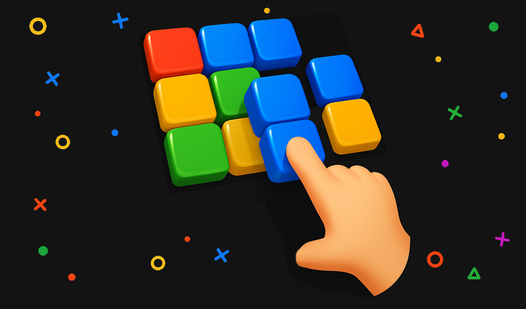
To handle the Color blocks controls, just tap or click the piece and drag it onto the grid. You need to drop your shapes into the 10x10 space so that three or more matching colors touch. If you just dump them randomly, you’ll run out of room in under a minute.
Color blocks: Strategic clearing
Your main goal is to clear lines before the board jams. That’s how to play Color blocks effectively. A common mistake is ignoring the corners until they’re impossible to fill. If you let the edges pile up, you’ll find the later layouts provide almost no space for those awkward L-shaped pieces.
Who Should Play Color blocks?
Frequently Asked Questions about Color blocks
How do you clear lines in Color blocks?
You must place three or more blocks of the same color so they are touching horizontally or vertically. Diagonal neighbors do not count toward your match.
Can I play Color blocks on my phone?
Yes, you can pull this up on your mobile browser. The touch controls are just as responsive as the desktop version for dragging pieces around.
Is Color blocks free to play?
Yes, Color blocks is completely free to play on Nub Games. There are no in-app purchases. No download or registration required.
Can I play Color blocks on mobile?
Color blocks works on both desktop and mobile devices. Best played in portrait mode.
What age rating is Color blocks?
The catalog age rating for Color blocks is 6+.