










Key Features
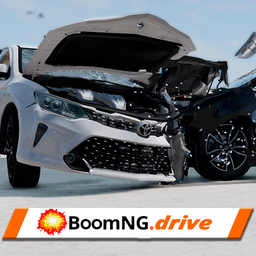
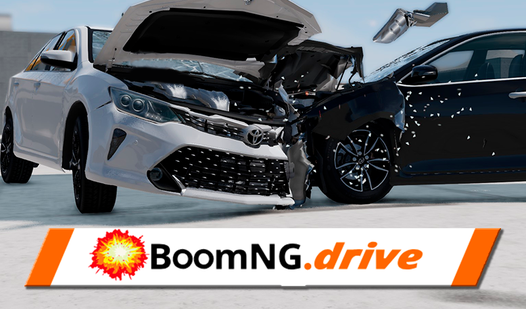
- Violent physics: Every collision calculates real-time deformation. Your car folds like paper when you hit solid walls, changing how the steering handles afterward.
- Camera freedom: Switch views to see the suspension snap or the windshield shatter. It makes the impact feel personal.
- Total chaos: There are no tracks to follow. Just drive into the scenery.
- Mechanical grit: The engine audio gets choppy when you wreck the frame. It adds a weird, gritty layer to the experience.
How to Play
Mastering BoomNG Drive controls
Use WASD or arrows to steer your ride. Press the spacebar to lock the handbrake for those tight drifts. You need to learn how to play BoomNG Drive by experimenting with the momentum of each car. The weight distribution is different for every vehicle, so don't expect a heavy truck to corner like a sports car.
BoomNG Drive: The art of the crash
Use the C key to cycle through cameras so you can watch the carnage from every angle. If you get stuck, hit TAB to open the menu and reset your position. A common mistake is going full throttle into every obstacle. You will lose control and fly off the map before you even see the impact.
Who Should Play BoomNG Drive?
Frequently Asked Questions about BoomNG Drive
How do you reset the car in BoomNG Drive?
Hit the TAB key to bring up the menu, then look for the reset option. It puts your car back on the road instantly so you can go back to crashing.
Can I play BoomNG Drive on my phone?
This one is strictly for desktop users. The keyboard inputs for the driving mechanics are too complex for a touchscreen, so stick to your mouse and keyboard.
Is BoomNG Drive free to play?
Yes, BoomNG Drive is completely free to play on Nub Games. There are no in-app purchases. No download or registration required.
Can I play BoomNG Drive on mobile?
BoomNG Drive is currently available on desktop only. Best played in landscape mode.
What age rating is BoomNG Drive?
The catalog age rating for BoomNG Drive is 6+.